
I'm gonna be straight with you. I almost didn't write this. Not because I don't have opinions about the app, but because talking about third-party Free Fire tools online always feels sketchy. Like you're either gonna get clowned on for using them or you're gonna get your inbox flooded with "bro link pls" messages.
But I kept seeing questions about this Koutruco thing everywhere. Reddit threads that got deleted. YouTube comments with people asking if it's legit. Discord DMs from randoms. So whatever. Here I am, actually putting my experience into words.
I've been on Free Fire since 2019. Not a pro by any stretch, but I've hit Heroic a few times and I can hold my own. The thing that always bugged me though was how inconsistent my aim felt. Some days I'm hitting every drag shot, feels amazing.
Other days I can't one-tap a stationary bot. I blamed my thumbs, blamed my sleep schedule, blamed whatever. But then I saw a friend of mine playing on his old phone and his screen seemed to respond a full second after he touched it.
Then I realized that hardware is a big deal in this game. Some phones just have trash touch sampling and you can't fix it with in-game settings.
So when I heard about a tool that supposedly fixes this, I got curious. I borrowed my brother's old phone, a beat up Realme that lags even on the home screen, and I set up a fresh Google account just for testing. If the tool was garbage or if I got banned, no real loss. What I found was... honestly more interesting than I expected. Not magical. But interesting.
📌 What Is Koutruco FF APK?
Okay so at its core it's really simple. You know the sensitivity sliders inside Free Fire? The ones that go up to 100? For a ton of phones that 100 max is a lie. Your screen hardware physically can't keep up with what the game is asking it to do.
So you end up swiping harder and harder and your aim still feels heavy and slow. Koutruco is just an app that bypasses that cap. It doesn't mess with Free Fire's files or inject anything into the game code. It just sits on your phone and changes how your touchscreen sends information to the game.
Think of it like this. Your finger touches the screen, the phone processes that touch, then sends the coordinates to Free Fire. There's a tiny delay in that chain. What the app does is intercept that touch data and tweak it before Free Fire gets it. Makes the swipe faster, smoother, less resistant. It's not generating fake inputs or aiming for you. It's just removing some of the slop in the pipeline.
There's also a few extras built in. A RAM cleaner that's actually aggressive enough to matter on budget phones. Some DPI options that normally require developer mode. But the sensitivity override is the main thing. That's what people are downloading it for.
🎮 How Does It Work?
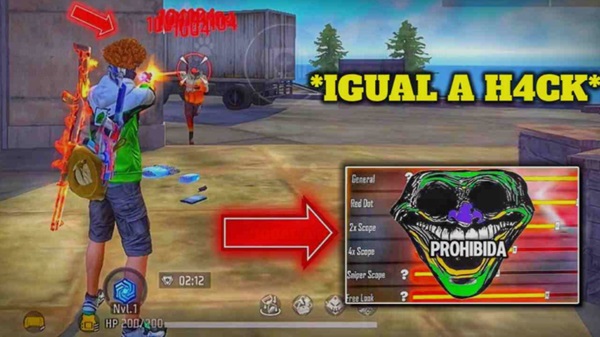
First time I opened it, I was surprised by how barebones it looked. Just a dark screen with sliders. No fancy graphics, no tutorial popup, no email signup. You drag a few sliders to where you want them. General sens, red dot, 2x, 4x, sniper scope. There's also a DPI slider and a game booster toggle. That's pretty much it.
Once you're happy with the numbers, you hit a launch button at the bottom. The app then does two things. It kills a bunch of background processes to free up RAM. Then it opens Free Fire with a transparent overlay running on top. That overlay is where the magic happens. It captures your touch input, adjusts it based on your slider settings, and passes the modified signal to the game. All in real time.
The first thing I noticed was that everything seemed so much lighter. I had set my general sensitivity to be around 95 in the app, which was already higher than what Free Fire normally allows. And wow. Just looking around in the lobby felt different.
My character actually turned when I wanted her to. It sounds stupid but on the old phone I was testing, the default game settings made me feel like I was steering a boat. This was more like a quick twitch.
I jumped into a bot match first because I'm not an idiot. And I immediately overshot every single drag. My thumb was so used to pressing hard and swiping long distances. With the tool, a small flick sent my crosshair flying past the target. Took me a solid hour of practice to start landing shots again. But once I got the lighter touch down, the difference was real. Headshots that used to feel like a gamble started feeling more predictable.
✨ Key Features Of Koutruco FF – What Actually Mattered
🎯 The Drag Assist
This is the feature that everyone talks about and is so hard to describe without sounding like you're exaggerating. Basically when you do the upward swipe for a headshot, the screen has less friction.
Your thumb accelerates. You don't need to press so hard. It's like sometimes with a normal setup the drag from chest to head gets stuck, like the crosshair getting caught on the neck hitbox of the enemy model. This app reduces that sticking feeling. You still have to aim. You still have to time it right. But the physical motion feels more natural. Less like you're fighting the screen.
⚡ Sensitivity Past 100
Free Fire caps at 100. This app doesn't. I set mine to about 95 in the tool and it felt like maybe 130 or 140 in actual gameplay. For a slow phone this is huge. You can actually spin around to react to someone shooting you from behind. On the default settings I would just accept death in those scenarios because turning was too slow. Now I can at least fight back.
🛡️ Anti-Ban
This part makes me nervous to even talk about because nothing is guaranteed. The tool uses some kind of masking script that hides the overlay from Garena's detection. During my three weeks of testing on a burner account, I didn't get banned.
I played ranked and got reported by angry teammates, and nothing happened. But I’m not going to sit here and say it’s 100% safe. It isn't. Every patch day I held my breath a little. So far so good, but things change.
📱 RAM Cleaner
On the test phone this was almost as important as the sensitivity stuff. That old Realme had 3GB of RAM and half of it was always eaten by bloatware. The app kills Facebook, Instagram, Chrome tabs, all that junk right before launching the game.
My frame rate didn't become amazing or anything but those awful stutters that happen right when you see an enemy became less frequent. Instead of freezing for half a second and then dying, I actually got to shoot back.
🔫 Different Profiles For Guns
You can save sensitivity presets for different weapons. Shotguns need fast flicks. SMGs need more control. I didn't use this much because I'm lazy and just found a middle ground that worked for everything. But the option is there if you're the type who min-maxes every little detail.
⚙️ DPI Without Root
Changing DPI usually means digging through developer options which scares off normal people. This app puts a slider right in its menu. Higher DPI makes things smaller and gives a wider view, which helps spot enemies far away. Lower DPI makes buttons bigger. I bumped mine up a little from default and noticed I could see more of the map without scrolling.
🎨 No Bloat
This is such a small thing but I appreciated it. The app doesn't have ads. Doesn't beg for ratings. Doesn't send notifications. It opens instantly and does its job. For a free third-party tool, that's rare. Most of them are ad delivery vehicles disguised as utilities.
💡 Benefits of Using Koutruco FF
Here's what I actually got out of this after a few weeks. The game stopped feeling like a chore. That old phone was a hassle to use. I knew what I wanted to do, my brain was telling me, but the hardware wasn't keeping up. I died so many times where I saw the enemy first but the lag on my screen was too much to aim on time. Those deaths are the worst. They make you want to quit.
With Koutruco running, I started winning some of those fights. Not all of them. I'm still not an amazing player. But enough that I felt like my actual skill was being represented, not my phone's limitations. That mental shift matters a lot. I played more aggressively. Pushed squads I would have avoided. Sometimes I got shredded anyway but at least I knew it was my fault, not my device's.
The consistency thing is also real. On default settings, my aim felt different every match. Some rounds the screen was responsive, other rounds it felt like molasses. Probably related to phone temperature and background processes. The tool leveled that out. Every session felt the same. Muscle memory actually started to build because the conditions weren't constantly changing.
🛠️ Tips to Get the Most Out of It
🔥 Do Not Skip Training Mode
I'm serious. The new sensitivity will feel wrong for a while. Your brain needs time to unlearn the heavy swiping you have been doing for years. "Don't even think of queuing for a real match until you've been in the training room for at least half an hour. Practice flicks from different angles. Let your thumbs adapt.
🧹 Manually Kill Apps First
The RAM cleaner is good but it's not perfect. Before I launch the tool I always swipe away every recent app. Chrome, YouTube, whatever. It takes five seconds and gives the phone the cleanest starting point.
🔄 Update The App Often
Free Fire patches come out of nowhere. A small update can break the overlay or make the anti-ban detectable. Before every session I check the download site to see if a new version dropped. Playing on an outdated tool is asking for trouble.
✋ Lighten Your Thumb Pressure
This was the hardest thing for me. Years of playing on a sluggish screen trained me to press hard and swipe aggressively. With the sensitivity boost, that same force will have you looking at the sky. You need to retrain yourself to use gentle, almost lazy flicks. It feels wrong at first but your accuracy will improve.
🔋 Keep Your Phone Cool
When your phone overheats, the touch response tanks. No app can fix thermal throttling. I started taking off my case during long sessions and pointing a small desk fan at the back of my phone. Sounds ridiculous. Works though.
📝 Stop Tweaking Constantly
It’s easy to want to change your settings after each bad game. Do not. Find something that feels about right, and then stick with it for a week or so. If you keep switching your dpi and sensitivity you will never build any real muscle memory.
📥 How to Download and Install Koutruco FF APK Latest Version
The most reliable and safe place to download from I recommend APKview.com as your resource. Random download sites don’t have that security layer of checking APK signatures before publishing.
Step 1: Open the browser on your Android device and go to APKview.com.
Step 2: Type “Koutruco FF APK” in the search box.
Step 3: Find the Latest Version of APK file Available Make sure it is from a trusted source on the site.
Step 4: Choose the download button. Your device might prompt you to confirm if you want to download the file – confirm if you want to download it.
Step 5: This is where most people get it wrong. You must allow installations from Unknown Sources. On most Android phones, go to Settings > Security > Unknown Sources and toggle it on. Some new phones may ask you to give permission for your browser only – just do what it tells you on your screen.
Step 6:Tap the downloaded APK file. It’s usually sitting in your Downloads folder.
Step 7: Click on Install and wait for few seconds. It's fairly fast.
Step 8: When done, open the app and sign up or login, if you have an existing account.
Just a note : If you get an error , then the file is probably corrupted or you downloaded the wrong version. Download it again or check your Android version to see if it is supported.
🔒 Is It Safe to Use? Here's the Honest Take
I'm not gonna sit here and tell you it's perfectly safe. It is not. Technically speaking, any app that sits on top of a game and modifys inputs is breaking terms of service. Garena can ban you if they detect it. The anti-ban script reduces that risk a lot but it's not a force field.
I tested this on a burner account for three weeks. Nothing happened. But that doesn't mean next month's security patch won't catch it. If you have an account with expensive skins and years of progress, don't use this on it. Just don't. Make a new account and test there first.
The bigger risk honestly is downloading from shady sites. Fake versions of this APK are everywhere and some of them have malware. Stick to sources that scan their files. APKview worked for me but even then, use common sense.
⚖️ Pros and Cons — The Unfiltered Take
✅ Pros:
- Drag headshots are noticeably easier once you adjust to the lighter touch
- Sensitivity can go way beyond the in-game cap
- RAM cleaning actually helps on budget devices
- Doesn't need root access
- No ads, no bloat, simple interface
❌ Cons:
- Ban risk exists even if it's small
- Sideloading is annoying and sketchy for some people
- The adjustment period sucks and you will whiff shots initially
🏁 Final Verdict — Is It Worth Downloading?
After messing with this for a few weeks, here's my honest opinion. This tool is for a specific type of player. If you have a good phone that already runs Free Fire smoothly, you don't need this. Your hardware is fine. But if you're on a budget device that lags and has slow touch response, Koutruco can help. It bridges some of the gap between cheap phones and flagships.
It's not a miracle. You still need game sense and decent aim fundamentals. What it does is stop your hardware from being the reason you lose fights. That alone made the game more enjoyable for me on the test phone.
Just be careful. Use a burner account. Download from a clean source. Instead of cranking everything to the max, take time to dial in your settings. If you do all that, then it's worth a try. If you are careless about it you'll either get banned or malware. That’s the compromise.








