I have been playing around with Minecraft Bedrock on Android for a few years now and at some point the default animations just begin to bug you. Mobs turn on a hinge. Your axe swing barely moves. The whole world feels a little dead even though you're surrounded by it.
That's the itch Actions and Stuff scratches, and the 1.11 build is just the newest stop on a pack that's been getting tweaked release after release.
This guide covers what it actually does once it's running, which parts of it are worth your attention versus which are just nice-to-have, and how to get it installed without bricking anything or downloading garbage by accident.
I'll also talk about the safety side properly, because most pages covering this topic either skip it entirely or just slap "100% safe" on the page and move on, which isn't really helpful to anyone.
📌 What Is Actions and Stuff 1.11 APK?
Actions and Stuff 1.11 is a resource pack for Minecraft Bedrock Edition, not a mod, which matters more than people think. A mod changes how the game plays. This doesn't touch any of that — no new crafting recipes, no combat changes, nothing that affects survival balance.
What it actually does is rework the animation and visual layer: how your character moves, how mobs respond to you, how your tools swing, how the environment behaves around you. I'd compare it to watching the same movie but in a much better frame rate — the plot hasn't changed, it just moves differently.
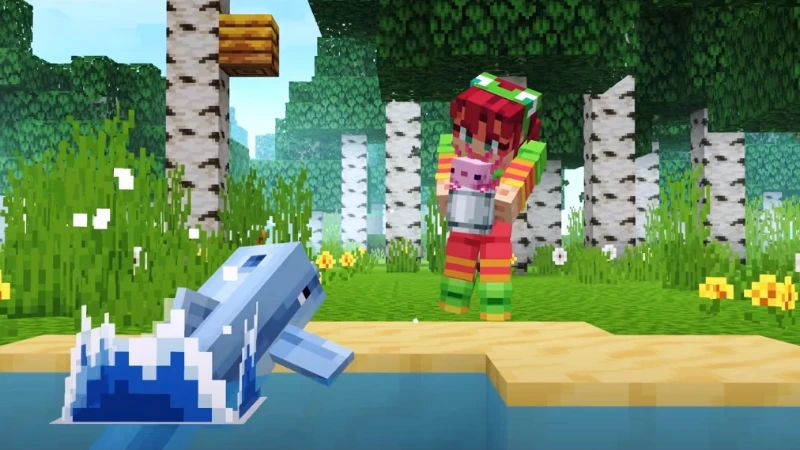
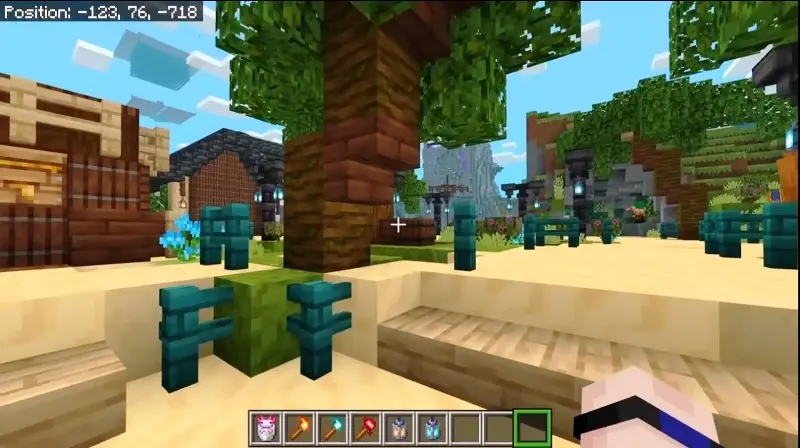
The name itself kind of explains the split: "Actions" is the animation overhaul for players, mobs, and tools, and "Stuff" covers the smaller environmental bits, swaying leaves, water that actually looks like water, little idle details here and there.
Also worth knowing is that this is all client-side. It runs on a server with nothing that needs to happen, and if you’re playing with friends who haven’t installed it, it won’t screw up anyone else’s game.
🆕 What's New in the 1.11 Update
Every release in this line has followed roughly the same pattern — refine what's already there instead of bolting on something unrelated just to pad a changelog. 1.11 keeps that going, with most of the work focused on cleaning up the transition frames between actions.
Sprinting straight into a jump, or swinging your tool mid-stride, reads a lot smoother than it did a couple versions back. There’s also the usual maintenance work to keep things in line with whatever Bedrock version Mojang is currently shipping, as these packs can drift out of sync pretty fast if updates aren’t kept current.
If you were running 1.9 or 1.10 and things looked a little weird after a Minecraft update, that’s just the sort of mismatch that 1.11 is designed to fix.
🎮 How Does It Work? / Gameplay Overview
Once you've got it active, nothing about how you actually play changes. You mine, you build, you fight, you die to a creeper at 2am like always. What's different is how all of that looks while it's happening.
Swing an axe at a tree and there's actual weight behind the motion instead of the same recycled three-frame loop. Walk through tall grass and it bends out of your way instead of just clipping straight through your legs like it's not there.
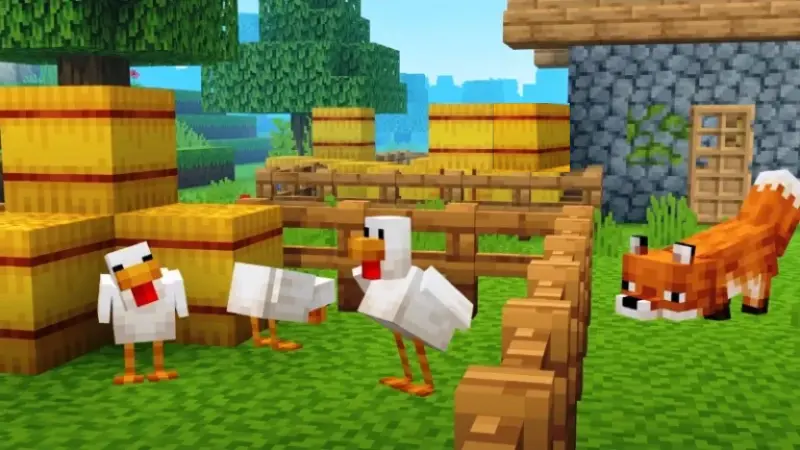
Mobs shift their weight, glance toward you, react when something's nearby, rather than standing there like statues between movement ticks. None of this adds any extra simulation running in the background either, which is the part people usually assume is happening — it's not calculating new physics, it's just swapping in better animation files for stuff that was already there.
That's also why your achievements and world saves stay completely fine. You're not adding an exploit or a cheat, just changing how the same rules look on screen.
✨ Key Features Of Actions and Stuff – The Ones Worth Knowing About
Reworked Character and Mob Animations
This is really the whole point of the pack. Running, swimming, jumping, fighting — all of it gets smoother transitions, and mobs stop doing that stiff repetitive idle loop vanilla Minecraft has had forever.
Tool and Weapon Movement That Actually Has Weight
Swords and axes swing with real follow-through now instead of just snapping back to rest position. Sounds small until you go back to vanilla for ten minutes and immediately notice how flat it feels.
An Environment That Actually Moves
Grass sways, water has visible motion instead of sitting there like a flat texture, weather reads more clearly when it's happening. None of it touches block behavior or world generation, it's purely how things look.
A Few Resolution Tiers to Pick From
You're not stuck with one setting. There's usually a lighter option (people tend to call it 16x), a middle one, and a heavier one, so a five-year-old phone isn't forced to run the same load as someone's flagship.
Small Details That Reward Paying Attention
There are a handful of little extras scattered through the pack, collectible-style touches and a couple of inside jokes if you go hunting for them. Doesn't affect survival at all, just there for fun.
Plays Nice With a Wide Range of Bedrock Versions
It's been kept up to date across a long stretch, roughly 1.16 through the newer 1.21+ builds, so most people who are actually still playing aren't going to get locked out by a version mismatch.
💡 Benefits of Using Actions and Stuff 1.11 APK
The biggest thing for me is just how much more alive the world feels. Minecraft stops feeling like a grid of blocks reacting to clicks and starts feeling like an actual place. But there's a practical side too, not just vibes.
Since it only runs on your device, you don't need anyone's permission to use it and it works the same whether you're on a Realm, in Creative messing around, or grinding Survival. It also doesn't carry the same risk gameplay-changing mods do — there's nothing here a server admin would flag you for, since you're not running x-ray, an aimbot, or any kind of duplication trick, just better-looking animations.
If you record or stream gameplay, this matters more than people expect. Combat and movement just look more put-together on camera without you having to do any extra editing. And because of the tiered resolution thing, you're not forced into picking between looking good and actually being able to play smoothly on a budget phone.
It also works fine in multiplayer the normal way — hop onto Hive, CubeCraft, a friend's Realm, whatever, and nobody else needs to be running the same pack for you to see the difference on your end.
🛠️ Tips to Get the Most Out of Actions and Stuff 1.11 APK
Don't Just Default to the Highest Resolution
If your phone is older than a couple years or sits around 3GB RAM, start light. Bump up later if performance is holding steady, don't just assume your phone can handle the heaviest tier because it's an option.
Pay Attention to Where It Sits in Your Pack List
Inside Global Resources, order matters more than people realize. If animations look broken or aren't loading right, check that Actions and Stuff is sitting above any other visual packs you've got active.
Update It Alongside Minecraft, Not After
Bedrock ships updates pretty often, and these animation packs can fall out of sync fast. When Minecraft updates, go check for a matching pack update within a few days instead of assuming the old one's still fine.
Actually Close the App After Turning It On
A quick reload sometimes doesn't catch everything. Fully closing Minecraft and reopening it after activating the pack fixes a lot of the "animations aren't showing" issues people run into.
Go Slow When Adding Shaders Into the Mix
It looks great combined with a shader pack, no argument there. But adding heavier shaders and a high resolution subpack will definitely kill performance on older hardware, so add one thing at a time and see how your device handles it.
🧰 Frequent issues and fast fixes
There are a few issues that keep coming up again and again in this pack's history, so it's worth addressing them head on instead of pretending that everything installs perfectly every time. If the pack does not appear in Global Resources after installing it, then the best thing to do is close the app completely and then reinstall the file.
If the game crashes right after you flip it on, dropping to a lighter resolution subpack through the gear icon next to the pack almost always fixes it, and this is probably the single most reported fix from people on older devices.
Frame drops during a fight or a storm usually just mean you're running a heavier tier than your phone can actually handle — step down one level, drop render distance to around 8 chunks, and turn off fancy leaves and clouds in Minecraft's regular video settings while you're at it.
Version mismatch errors, where the pack just won't apply no matter what you do, almost always come down to running a Bedrock version the pack hasn't caught up to yet, so checking the pack's listed compatible versions against your own is usually the fastest way to figure out what's going on.
📥 How to Download and Install Actions and Stuff 1.11 APK Latest Version
The most reliable and safe place to download from I recommend APKview.com as your resource. Random download sites don’t have that security layer of checking APK signatures before publishing.
Step 1: Open the browser on your Android device and go to APKview.com.
Step 2: Type “Actions and Stuff 1.11 APK” in the search box.
Step 3: Find the Latest Version of APK file Available Make sure it is from a trusted source on the site.
Step 4: Choose the download button. Your device might prompt you to confirm if you want to download the file – confirm if you want to download it.
Step 5: This is where most people get it wrong. You must allow installations from Unknown Sources. On most Android phones, go to Settings > Security > Unknown Sources and toggle it on. Some new phones may ask you to give permission for your browser only – just do what it tells you on your screen.
Step 6: Tap the downloaded APK file. It’s usually sitting in your Downloads folder.
Step 7: Click on Install and wait for few seconds. It's fairly fast.
Step 8: When done, open the app and sign up or login, if you have an existing account.
Just a Note : If you get an error, then the file is probably corrupted or you downloaded the wrong version. Download it again or check your Android version to see if it is supported.
🔒 Is It Safe to Use? Here's the Honest Take
I'd rather just say this straight instead of giving you the "yes it's totally safe" line every other page on this topic uses. The pack itself, as a resource pack, is just texture and animation files.
There's no code running in the background that could act like malware in any real sense, so that part is low risk by design, full stop. The actual risk in this whole space comes from where you're getting the file, not from what the pack is supposed to be.
Third-party download sites are all over the map in terms of quality, some bundle weird ad scripts, some have fake download buttons that send you somewhere else entirely, and once in a while a file just isn't what it claims to be. That's true across this entire category of site, not unique to any one place.
A few habits cut that risk down a lot: stick to sites that list real version numbers and file sizes instead of a vague "latest version, click here" button, run a quick scan with Play Protect or whatever antivirus app you've got after downloading, and actually look at the install permissions before confirming.
A resource pack has zero legitimate reason to want access to your contacts, your camera, or your texts, and if it's asking for that, just delete it and move on. If you want to skip the third-party question entirely, this pack is also on the official Minecraft Marketplace under the same name, and going that route sidesteps the whole download-source issue.
For most people who just want the upgrade without thinking too hard about it, picking a reasonably established site, eyeballing the file before installing, and scanning it after covers what you actually need to worry about.
⚖️ Pros and Cons — The Unfiltered Take
✅ Pros:
- The animation overhaul is genuinely well done, not a gimmick — vanilla Minecraft looks noticeably flatter once you've used this for a while.
- Doesn't touch core gameplay, so there's no risk of getting flagged for cheating on any server.
- Resolution tiers mean it scales down to older phones instead of locking out anyone without a flagship device.
- Installs fast, usually under five minutes if your download doesn't hit any snags.
- Works fully offline once it's on your device, no constant connection needed to keep it running.
- Plays fine in multiplayer without requiring anyone else to install the same pack.
❌ Cons:
- Higher resolution tiers genuinely demand more from your hardware, older phones may need to stick to the lightest setting.
- Compatibility can lag a few days behind a brand-new Minecraft update while the pack catches up.
- Stacking it carelessly with multiple heavy shader packs can cause glitches or crashes.
- It's not a Play Store app, so part of the safety equation depends on where you actually download it from.
- A handful of small bugs (animations not loading, pack not appearing in the list) show up often enough that you should expect to troubleshoot at least once.
🏁 Final Verdict — Is It Worth Downloading?
If you're on Minecraft Bedrock for Android and the stock animations have started feeling a bit stale, Actions and Stuff 1.11 is one of those rare low-effort, high-payoff downloads.
You're not relearning anything, you're not risking your save file, you're just making the same game look and move better, and the resolution tiers mean almost any phone from the last several years can run it at some setting without choking.
The one part worth doing properly is the download itself — spend the extra thirty seconds checking the file and scanning it after install, and there's really no good reason to skip this one.
If you care at all about how your gameplay looks, whether that's for recording, streaming, or just wanting your world to feel less static, this is one of the more worthwhile resource packs out there for Bedrock right now.








