
.webp
)
.webp
)
.webp)
Anyone who's done mobile repair for more than a week knows the drill. Phone comes in dead, won't charge, or has a display issue — and before you even touch a multimeter, you're already burning 20 minutes trying to find a reliable schematic for that specific model.
Half the links are dead. The other half want you to create an account, pay $10, or sit through three ad redirects before you can download a PDF that may not even be the right revision. It's genuinely frustrating, and it gets worse when you're learning.
Students trying to understand mobile circuit boards can't afford to waste an hour tracking down a diagram that a working technician would find in seconds.
CircuitBit APK showed up as a direct answer to that problem. It pulls schematic diagrams, PCB layouts, and board views into one Android app — organized, searchable, and right there in your pocket. No desktop, no hunting, no mess.
From tracking down a charging fault on a Xiaomi, working out a Samsung Galaxy motherboard, to trying to figure out why an iPhone won’t boot, the information you need loads up quickly.
In this guide, we’ll walk you through everything you need to know about the app – what it does, how it actually works in practice, whether it’s safe and how to install it correctly. Let’s get into it.
📌 What Is CircuitBit APK? More Than Just a Diagram Viewer
CircuitBit APK is a schematic diagram app for Android. You search a phone model, you get the circuit diagrams and PCB layout for that device. That's the core function, and it does that well.
But calling it "just a diagram viewer" undersells it a bit. The app is specifically organized around the needs of mobile repair — not electronics as a broad category, not general hobbyist circuits, but smartphone hardware specifically.
Samsung, Apple, Huawei, Xiaomi, Oppo, Vivo, Realme — the brands you actually see coming through a repair shop are the ones the library is built around. What makes it useful for both beginners and experienced technicians is that everything is accessible without needing deep prior knowledge to navigate.
You don't have to already know where a charging IC is located to find the charging circuit — you just search the model and open the relevant section. Learners get enough structure to actually understand what they're looking at, and working technicians get the speed they need when a customer is waiting.
The latest version running in 2026 is CircuitBit APK 1.2.14. New users currently get full access for free, which removes the usual "let me try it before I pay" hesitation entirely.
🎮 How Does CircuitBit Actually Work? Here's What Happens When You Open It
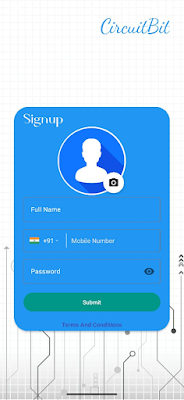
The setup is quick. You download the APK, install it, make a free account with your e-mail and you are in. No long onboarding, no mandatory tutorial you have to sit through.
The main screen is mainly just a search bar. Type in the device model - exact model numbers work best, such as "SM-A546B" for a Samsung A54 rather than just "Samsung A54" - and the app brings up whatever schematic content is available for that device. From there you open the diagram, zoom into specific areas by pinching, and begin reading the circuit.
If you are looking for a charging fault, you go to the charging section and trace the path from the USB port to the charging IC and check the reference voltage points marked on the diagram. Then you go to the PCB layout view to see where that IC is physically sitting on the board. Both pieces of information together — the circuit path and the physical location — are what actually make fault-finding fast.
Once you've opened a diagram, it can be saved for offline access. That matters in real shops. The Wi-Fi goes out, your cell data drops out and if you've already pre-loaded the diagrams for the models you work on most, none of that matters to you.
The app doesn’t do twenty things at once. It's clearly built around speed and practicality, which is exactly what repair work demands.
✨ Key Features of CircuitBit APK That Actually Matter on the Bench
🔷 A Schematic Library That Covers the Phones You Actually See
CircuitBit has schematic diagrams for hundreds of smartphone models. Covers mainstream devices that make up the bulk of repair work like Samsung, Apple, Huawei, Xiaomi. Each diagram has circuit paths, component hookups, voltage reference numbers and flow of signal. That’s the information a technician needs to go from “something’s wrong” to “here’s exactly what’s wrong.”
🔷 PCB Layout and Board View
Schematics tell you how a circuit is connected. The board view tells you where components actually are on the motherboard. Both matter. CircuitBit includes PCB layouts that let you switch between reading a circuit diagram and seeing where the relevant IC or capacitor physically sits. That two-view approach cuts the guesswork out of component location.
🔷 Fault Finding Guidance for Common Hardware Issues
There's a fault-finding section that covers typical problems — charging failures, display issues, dead phone scenarios, battery drain. For someone who's still learning which section of a motherboard to start with when a phone won't turn on, this kind of guided reference is genuinely helpful. Even experienced techs use it as a quick starting point.
🔷 4. Search by Model Name or Number
The search is straightforward. You type what you're looking for, you get results. Exact model numbers work better than general names, but either way it's much faster than trying to navigate a file-based library. When a customer drops off their phone and you need information quickly, that speed matters.
🔷 Pinch-to-Zoom and Pan for Reading Fine Circuit Details
Motherboard schematics are dense. Reading one on a phone without proper zoom would be nearly useless. CircuitBit handles this well — pinch to zoom, drag to pan, no lag, no blurring. You can get into tight sections of a diagram and actually read component labels and signal paths clearly.
🔷 Offline Diagram Access After the Initial Load
Download a diagram once and it's available without internet. For shops where the connection is unreliable, or for technicians who travel to customer locations, this is a practical feature that saves real frustration.
🔷 Library Gets Updated as New Phones Come Out
New phone models come out constantly. An app with a static library becomes outdated fast. CircuitBit's team updates the diagram library regularly, so as new Samsung and Xiaomi flagships hit the market, coverage tends to follow.
💡 Why CircuitBit APK Is Worth Using — The Practical Case
You can find phone schematics for free online. So why use a dedicated app for this?
Honestly, the time factor is the biggest one. Spending 20 minutes finding a schematic every time a phone comes in is a real productivity problem for anyone doing repair at volume. CircuitBit takes that search down to under a minute for most common models. Over a week, that adds up to a lot of recovered time.
The reliability of the diagrams is the other thing. When you pull from CircuitBit, you're getting organized files from a structured library — not a random PDF from a forum post that might be the wrong revision or the wrong region variant. That consistency matters when you're making repair decisions based on what the diagram shows.
For learners specifically, having actual schematics for real devices changes how quickly you understand mobile hardware. Reading theory from a textbook is one thing. Pulling up the schematic for the phone sitting in front of you and tracing the charging circuit while holding the board is a completely different level of learning.
And for shops and freelance techs, the portability is genuinely useful. Your phone is always with you. A laptop isn't.
🛠️ Tips to Actually Get the Most Out of CircuitBit
🔑 1. Use Full Model Numbers, Not Just Brand Names
"Xiaomi" returns a long list. "Redmi Note 12 Pro" is better. The exact model number like "22101316G" takes you directly where you need to go. Check the back of the device or settings menu if you don't have the model number memorized.
🔑 2. Pre-Download Diagrams for Your Most Common Repairs
If you regularly fix Samsung A-series or Redmi phones, download those diagrams before you need them. Don't wait until you're mid-repair with no internet to realize the diagram hasn't been saved yet.
🔑 3. Open the Board View First, Then the Schematic
Start with the PCB layout to get your physical bearings — where are the main ICs, where's the battery connector, where's the charging section. Then open the schematic to understand the circuit. Going schematic-first when you're new to a model just makes things harder.
🔑 4. Use Voltage Reference Points With a Multimeter
The diagrams mark voltage test points throughout the circuits. These aren't decorative — they're the values you should be measuring with your multimeter at specific points on the board. If the voltage is off at a particular node, you've narrowed down the fault section significantly.
🔑 5. Zoom Into Just the Section You Need
Don't try to read a full motherboard schematic at once. Nobody does that. Identify the fault area — charging, display, power management — and zoom directly into that section. Everything else is noise while you're actively diagnosing.
🔑 6. Cross-Check the Fault Help Section Before Starting
If you do not know where to start on an issue you do not know, try the fault-finding section first. Often it will take you right to the area of the circuit where that class of problem usually originates, saving you from chasing the wrong part of the board.
📥 How to Download and Install CircuitBit APK Latest Version
The most reliable and safe place to download from I recommend APKview.com as your resource. Random download sites don’t have that security layer of checking APK signatures before publishing.
Step 1: Open the browser on your Android device and go to APKview.com.
Step 2: Type “CircuitBit APK” in the search box.
Step 3: Find the Latest Version of APK file Available Make sure it is from a trusted source on the site.
Step 4: Choose the download button. Your device might prompt you to confirm if you want to download the file – confirm if you want to download it.
Step 5: This is where most people get it wrong. You must allow installations from Unknown Sources. On most Android phones, go to Settings > Security > Unknown Sources and toggle it on. Some new phones may ask you to give permission for your browser only – just do what it tells you on your screen.
Step 6:Tap the downloaded APK file. It’s usually sitting in your Downloads folder.
Step 7: Click on Install and wait for few seconds. It's fairly fast.
Step 8: When done, open the app and sign up or login, if you have an existing account.
Just a note : If you get an error , then the file is probably corrupted or you downloaded the wrong version. Download it again or check your Android version to see if it is supported.
🔒 Is CircuitBit APK Actually Safe? Here's a Straight Answer
The short answer is yes — when you download from a reputable source.
CircuitBit is a real app from a legitimate team. They have a proper website at circuitbitapp.com and a public GitHub repository under the handle circuitbitapp. That level of transparency is something shady apps simply don't have. Anonymous malware doesn't come with maintained GitHub pages and official brand documentation.
In terms of permissions, the app is clean. It asks for internet access (needed to load diagrams) and storage access (needed to save diagrams offline). Nothing unusual. No access to your contacts, call logs, SMS, or location.
The main safety variable is where you download from. That's true of any APK, not just CircuitBit. Downloading from a random Telegram group or an unknown blog introduces risk because those files can be modified. APKview.com verifies files before hosting them, which is why we recommend it specifically.
If you're still cautious, you can scan the downloaded APK with an antivirus app before installing. It'll come back clean from a legitimate source.
⚖️ Pros and Cons of CircuitBit APK — The Honest Version
✅ Pros:
- Genuinely free right now for new users — no payment needed to get started.
- Wide brand coverage across Samsung, Apple, Huawei, Xiaomi, Oppo, Vivo, Realme.
- Fast search by model name or number.
- PCB layout and schematic diagram both available per device.
- Offline access after initial download.
- Light app — doesn't slow your phone down.
- Useful for beginners and experienced technicians both.
- Regular updates as new phone models come out.
- Publicly documented with a GitHub repo — not a mystery app.
❌ Cons:
- Android only — if you work from a PC or tablet running a different OS, you're out of luck.
- You need internet the first time you load each diagram.
- Free access has a deadline — paid plans required once the current period ends.
- Not on the Play Store, so sideloading is required (minor inconvenience for most).
- Account registration is mandatory even during the free period.
- Niche or older budget models may not have full coverage yet.
🌟 How CircuitBit Compares to Borneo and S-Finder
It's worth putting CircuitBit in context because there are other schematic apps out there.
Borneo Schematic Diagram has been around longer and has a solid reputation in repair circles. Its library is deep in some areas. But the interface is heavier, loading can be slower, and navigating between diagrams takes more steps than it should.
For experienced users who know exactly what they're looking for, Borneo works fine. For someone newer to schematic apps, CircuitBit's cleaner layout is easier to get started with.
S-Finder Mobile Schematic App takes a more professional angle — it includes step-by-step repair guides alongside the schematics, which is genuinely useful. But it's priced and positioned for professional shops with consistent revenue. CircuitBit is a better fit for independent technicians or anyone who wants to try a proper schematic tool before committing to higher-tier software.
Right now in 2026, the free access period makes CircuitBit the obvious first choice for anyone who hasn't tried a dedicated schematic app yet.
🏁 Final Verdict — Is CircuitBit APK Worth Downloading?
For mobile repair technicians — yes, without much hesitation. The app does exactly what it's supposed to do, it does it fast, and the current free access means there's zero financial barrier to trying it.
For students and learners — also yes. Having real schematics for real devices is one of the better ways to understand mobile hardware, and CircuitBit makes those schematics accessible in a format that works without a PC or a technical background.
The limitations are real but not dealbreakers for most users. No PC version is annoying if that's your preferred workspace, and the eventual paid plan requirement means you'll need to budget for continued access down the line. But those are known trade-offs, not hidden catches.
Download it from APKview.com, set up the free account, and spend ten minutes with it on a device you know well. That's the fastest way to decide whether it belongs in your regular toolkit. Chances are, it does.








