kay so I'll be upfront — I was a little surprised when I saw how many people are still searching for Garena 2.3.7.200. We're talking about a 2018 APK build. And yet here we are.
You start to get it a bit when you delve in. People in South and South East Asia are still using phones from 2016-2019. They do not play well with the heavier versions of the app. Storage is at a premium, RAM is at a premium, and newer builds just... choke. So yeah, people want the version that actually runs well on their hardware. Can't fault them.
If you didn’t know, Garena is kind of the dominant gaming platform across Southeast Asia. At its peak, Free Fire alone had over 100 million daily active users. The app is how a huge chunk of those players manage everything — game updates, friends, events, voice chat. Version 2.3.7.200 was one of the cleaner builds before the app started getting heavier with each update cycle.
So whether you're going back to it or downloading it for the first time on an old device, this guide covers everything. What the app is, what you actually get with this version, how to install it without getting a virus in the process, and whether it's even worth your time.
📌 What Is Garena? — It's Bigger Than You Probably Think
A lot of people hear "Garena" and immediately think Free Fire. Totally understandable — Free Fire is one of their biggest titles. But Garena the platform is a different thing from any single game.
Think of it as the Southeast Asian region’s gaming operating system. Garena Online (a part of Sea Limited, based in Singapore) built this ecosystem as far back as 2009. They run games, run tournaments, run the matchmaking infrastructure, and run the community side of things for a huge chunk of the Asian gaming market.
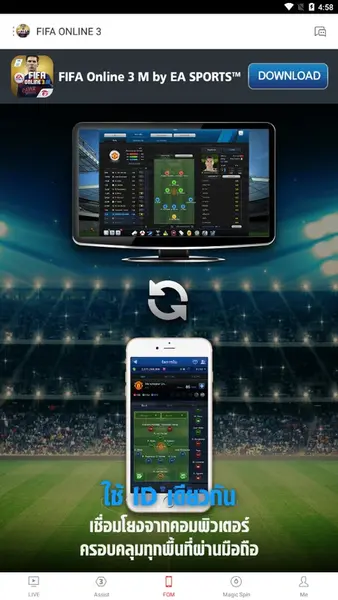
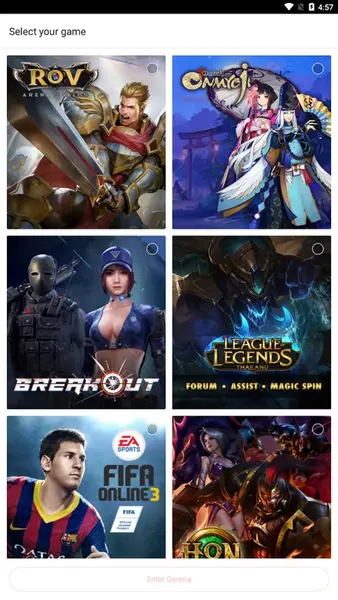
Arena of Valor, FIFA Online and League of Legends were all titles that existed on this platform in their respective regions. They even have their own esports league — the Garena Premier League — which was a big deal in Southeast Asia for a long time.
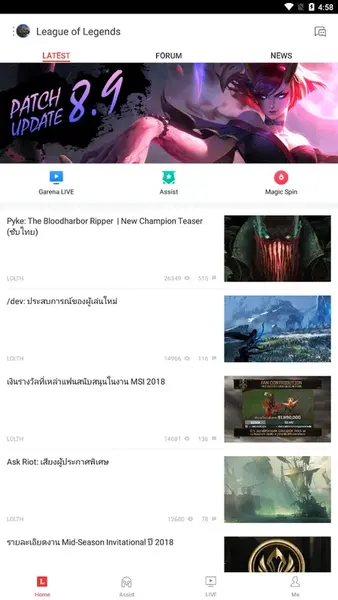
The mobile app, which is what com.garena.gas actually is, works as your phone-based front door to all of that. Log in, set your region, and you see whatever games and events are running in your market. It's not just a launcher — there's a full social layer in there too. Friends lists, clan systems, voice chat, live streaming. For a 25 MB app, it packs a lot in.
Specifically, version 2.3.7.200 was released around December 2018. The file is 25.34 MB. Android 4.1 and up required Architectures armeabi-v7a, x86.Content rating is Everyone. Nothing fancy, but clean and functional build.
🎮 How Does It Work? — Real Talk on the Day-to-Day
You don't actually play games inside the Garena app. That trips some people up. What it does is manage everything around your games — think of it more like a control center than a game itself.
You open it, sign in, and the home screen shows you your installed games, current events happening in those games, friend activity, and any announcements worth reading. If Free Fire has a new limited skin event, that notification comes through here. If Arena of Valor just pushed a balance patch, you'll see it before you even open the game.
From there you can browse games available in your region, download ones you haven't installed, and link everything to one account. That single account thing is actually useful — you're not managing five separate logins for five different Garena games. One ID, everything connected.
Now the part people actually like: the social features. You've got a friends list, online status, clan creation, the whole deal. Garena Talk is the voice chat system — built right into the app, no setup required.
You create a room, your teammates join, you're talking. No Discord, no separate call, just press and go. GGTV is the streaming component — official match broadcasts, creators, regional stuff. All accessible without leaving the app.
This all works for 2.3.7.200 in particular. It’s not the most modern interface, and some things feel a little aged, but the core functionality is solid and the app works without drama on lower-end hardware and that’s just what most people downloading this version need.
✨ Key Features Of Garena 2.3.7.200 — The Ones Worth Knowing About
🎯 Everything Lives in One Place
No juggling five launchers for five games. Free Fire, Arena of Valor, FIFA Online — they all sit inside Garena. Updates, news, event timers, all centralized. If you've ever missed a limited event because you forgot to check a game individually, you understand why this matters.
👥 Friends and Clans That Actually Work
I've tried coordinating with three friends for a squad match through WhatsApp before. It's a disaster — "ready?" "almost" "okay going" — and then two people end up in different lobbies. Garena's friends system cuts that nonsense out. See who is online, see what they are in, send a direct invite. Clan features help you keep your regular group organized so you aren’t starting from scratch each session.
🎙️ Garena Talk — Voice Chat Without the Extra App
Garena Talk isn't trying to be Discord. It's just a voice room system built into the app. Create a room, share it with your squad, talk. That's it. On this version especially, it's light on resources. No noticeable performance hit while you're running it alongside a game.
📺 GGTV Streaming Built Right In
Think of it as a stripped-down streaming platform focused entirely on Garena content. If the GPL is broadcasting or a major Free Fire tournament is live, you can watch it here without opening a browser or another app. Good for keeping up with the competitive scene, or just watching better players and figuring out what you're doing wrong.
🏆 Tournament and Esports Updates
Garena puts a lot into their competitive structure. Through the app you can follow upcoming events, check brackets, see results. This isn't just window dressing — the Garena Premier League was a genuinely serious esports competition in its prime, and the app was how fans followed it.
🔔 Notifications You Can Actually Control
The app notifies you about game patches, events starting, friends coming online, maintenance windows. Useful stuff. You can also turn off what you don't care about, which is worth doing on day one because by default it tries to tell you everything.
🌍 Works Across Regions, 118 Languages
Different regions see different games in the catalog. If a game isn't showing up try changing regions in the settings, that usually helps. The language support is so extensive that the majority of users in Garena’s core markets will already find their language included.
💻 25.34 MB — This Is Why People Want This Version
No joke, this is the main reason. Newer builds pushed toward 80-100 MB. For someone on a 16GB phone with 6 games installed and 2 GB RAM, that difference is not small. This version does everything the platform was built to do and weighs basically nothing. That's the trade you're making — older interface, fewer new features, but it runs clean on hardware that struggles with anything heavier.
💡 Benefits of Using Garena APK 2.3.7.200
Let’s be honest. Most people downloading this build are in one of a few situations: old hardware, limited storage or a specific compatibility issue with newer builds. For all of those cases, the benefits here are real, not marketing fluff.
Having one app manage multiple games is legitimately helpful when storage is tight. Each game is already eating a huge chunk of your phone — having a lightweight launcher instead of multiple fat companion apps saves space that actually matters. The difference between a 25 MB app and an 80 MB app might sound trivial, but when your phone only has 2 GB of internal storage left, it's not.
Performance is the other big one. This app was designed for the 2017-2018 standard hardware. It does not assume that you have a fast CPU or a lot of RAM. Opening Garena 2.3.7.200 on a mid range 2018 phone feels snappy. Opening a newer build on the same phone can feel like wading through mud.
The social side is worth mentioning too. A lot of standalone mobile games have their own friend systems, but they're usually barebones — the game company's main focus is the game, not the social infrastructure. Garena built proper community features because that was part of their whole model. Voice chat, clans, online status, messaging — it actually functions well here.
And the esports angle. If you're playing Garena games semi-seriously or just enjoy watching, being plugged into the tournament schedule and live broadcasts from the same app you use to play is a genuinely good experience. It keeps things in one ecosystem instead of spread across five different platforms.
🛠️ Tips to Get the Most Out of Garena 2.3.7.200
⚡ Do the Profile Setup Before You Add Anyone
Most people skip it and go straight to gaming. Bad move. Set your username, add a profile picture, set your region. Your username is what shows on invites and clan rosters — if it's still the random auto-generated ID, your friends will probably ignore the request thinking it's spam.
📡 Try Garena Talk Before You Dismiss It
I know everyone defaults to Discord now. But if you're on an older phone where running Discord and a game simultaneously tanks performance, Garena Talk is worth trying. It's already installed, it runs inside the same environment as your games, and it's stable enough for in-match coordination. Give it one session before deciding.
🔕 Turn Off the Noise Right Away
Out of the box, Garena will notify you about nearly everything. Promotions, friend requests, event timers, patch notes, maintenance alerts. Some of that is useful, most of it isn't. Go to notification settings before you do anything else and disable whatever you won't actually act on. Your battery and your sanity will thank you.
🌐 Not Finding a Game? It's Probably the Region Setting
This catches people off guard. The game list is different depending on which region you have selected in the app. If you're not seeing a title you know runs on Garena, go into settings and try switching regions. Some games are only available in certain markets and the app won't explain why they're missing — it just won't show them.
💾 Save a Copy of This APK Somewhere
Seriously. Keep a backup. If you're specifically on this version because newer ones don't work on your phone, you do not want to be hunting for the 2.3.7.200 file again six months from now after accidentally updating. Save it to Google Drive, a folder on your SD card, whatever. Takes two minutes.
🔋 Kill It Before You Game
If your phone has 2 GB RAM or less — and many people using this version do — don't leave Garena running in the background while you play. It sits there using memory that your game needs. Before you launch Free Fire or anything else, go to your app manager, find Garena, force stop. You'll get noticeably smoother gameplay.
📥 How to Download and Install Garena 2.3.7.200 APK Latest Version
The most reliable and safe place to download from I recommend APKview.com as your resource. Random download sites don’t have that security layer of checking APK signatures before publishing.
Step 1: Open the browser on your Android device and go to APKview.com.
Step 2: Type “Garena 2.3.7.200 APK” in the search box.
Step 3: Find the Latest Version of APK file Available Make sure it is from a trusted source on the site.
Step 4: Choose the download button. Your device might prompt you to confirm if you want to download the file – confirm if you want to download it.
Step 5: This is where most people get it wrong. You must allow installations from Unknown Sources. On most Android phones, go to Settings > Security > Unknown Sources and toggle it on. Some new phones may ask you to give permission for your browser only – just do what it tells you on your screen.
Step 6: Tap the downloaded APK file. It’s usually sitting in your Downloads folder.
Step 7: Click on Install and wait for few seconds. It's fairly fast.
Step 8: When done, open the app and sign up or login, if you have an existing account.
Just a Note : If you get an error, then the file is probably corrupted or you downloaded the wrong version. Download it again or check your Android version to see if it is supported.
🔒 Is It Safe to Use? Here's the Honest Take
The app: fine. Garena Online is a real company that's been operating since 2009 across dozens of markets. Version 2.3.7.200 is a genuine build from their development team. The file hasn't been modified.
The real risk with any APK download — not just this one — is that some third-party hosting sites tamper with files. They take a legit APK, add adware, tracking SDKs, or worse, and host it as if it's the original. Someone downloads it thinking they got the real Garena app, and they got something else entirely.
How do you avoid that? Two things. One, use a host with a track record — APKview.com checks out. Two, verify the file. The original Garena 2.3.7.200 APK is 25.34 MB. If what you downloaded is significantly larger or smaller, that's a red flag. Also confirm the package name reads com.garena.gas during installation, not some variation.
On permissions — the app asks for 21 of them. Microphone for Garena Talk, camera for profile stuff, storage access for game-related files, network access for everything. All of it makes sense given what the app does. There's nothing in the permissions list that should surprise you once you understand how the platform works. Read through them during install if you want to know exactly what you're agreeing to. I'd recommend it.
⚖️ Pros and Cons — The Unfiltered Take
✅ Pros:
- Manages multiple games from one lightweight app — actually saves time.
- Only 25.34 MB — runs on older phones without drama.
- Voice chat baked in — one less app to run.
- Good if you follow Garena esports — everything's in one place.
- 118 languages, multi-region — wide accessibility.
- Platform is completely free to use.
- GGTV streaming doesn't require a separate app.
- Stable build with no unknown behavior — it's been around long enough to be well understood.
❌ Cons:
- 2018 build — you're missing a few years of feature updates.
- Not on Play Store anymore — sideloading is required.
- Game availability depends on region — some titles won't show up in certain markets.
- Voice chat gets choppy on slow connections.
- UI looks dated if you're used to modern app design.
- Account creation can take a while depending on your region's server load.
🎮 Garena 2.3.7.200 vs Newer Versions — What Actually Makes Sense for Your Phone
If you have a 2021 or newer phone with decent RAM, just go for a newer Garena build. You’ll get the new features, security updates and a more polished interface. No reason to stick to an older version if your hardware handles it fine.
But say you've got a Redmi 6A, a Samsung J7 Pro, a Tecno Pop from 2019 — something in that range with 2 GB RAM and 16-32 GB storage. In that situation, installing a heavier Garena version often means a slow launcher that takes forever to open, eats RAM you need for the actual game, and occasionally just crashes on startup. Not great.
Version 2.3.7.200 was built for exactly that hardware tier. It doesn’t try to do things those phones can’t handle. It opens fast, runs well, and doesn’t tax a 2018-era Android device the way later versions do.
There's also a specific case worth mentioning. Some people updated their Garena client and ran into hard bugs — login failures, games not launching properly, events not loading.They rolled back to 2.3.7.200 and that fixed it. This happens more than you'd think and it's totally valid. Better to have an older version that works than a newer version that doesn’t.
🏁 Final Verdict — Worth Downloading or Not?
Here's the straight answer: if you have a real reason to want version 2.3.7.200 — older phone, storage issues, compatibility problems with newer builds — then yes, download it. It's a legitimate, stable version of a platform that genuinely does what it says it does.
You're not getting the latest UI. A couple of features that came in after 2018 won't be there. But the stuff that most people actually use — game management, friends and clans, voice chat, tournament updates, event notifications — all works. On older hardware, it works better than the newer alternatives.
Get it from APKview.com. Check the file size before you install. Once you're in, spend five minutes setting up your profile and notifications before you dive into anything. That's basically the whole setup.
The platform has been around a long enough time that there is no learning curve. If you’ve ever used a gaming launcher before, you’ll be up to speed with Garena in about ten minutes.








