
Here's something that probably sounds familiar. You open ChatGPT to write something, then realize Gemini might give a better answer for this particular thing, then you remember you also have Claude open somewhere in another tab, and somewhere in this mess you've spent ten minutes just deciding which AI to use instead of actually using one.
That's not productivity. That's just chaos with extra steps.
Plan B AI Passport APK came out of exactly that frustration. It's an Android app from Plan B Media — a Thai media company — and the whole pitch is simple: stop running multiple AI apps and just use this one instead. All the major AI models, one interface, one place to log in.
I'm going to walk you through what it actually does, how the download works, and whether it's worth your time. No padded content, just the real stuff.
📌 What Is Plan B AI Passport? — Let's Actually Explain This Thing
The package ID is com.planbmedia.ai, and it's on Google Play. That's the first thing worth knowing because it means this isn't some sketchy side project — it went through Google's review process.
What the app does is give you access to multiple AI models without needing a separate account or app for each one. You log into Plan B AI Passport once and from there you can work with different AI systems in the same interface. The "passport" name makes sense once you get it — one document, access to many places. That's the idea here.
Plan B Media is a publicly listed company in Thailand, primarily known for media and advertising. The AI Passport product is clearly aimed at a broad audience — students, freelancers, professionals, content creators, anyone who's spending real time with AI tools every day.
The Thai-language roots are obvious if you dig into the Play Store listing, but the app itself handles English just fine.
It's free to download. Whether all features stay free long-term, that's a separate question, but getting started costs nothing.
🎮 How Does It Work? — A Straightforward Walkthrough
Once you have the app installed, you land in a chat-style interface. That part will feel familiar if you've used any AI chatbot before. The difference is you're not locked into talking to one model.
You type a question or request. The app routes it, you get a response, and if you want a second opinion from a different AI model, you can get that too within the same session. For certain tasks — writing a difficult email, trying to understand a complex topic, generating creative ideas — comparing a few AI outputs is genuinely useful. It's something you'd normally have to do manually across three open browser tabs.
Image input is built in. Not as a premium add-on — you can send a photo or screenshot and ask the AI to look at it and respond. That works for things like reading a chart you don't understand, getting a second read on a document image, or analyzing something visual you'd struggle to describe in text.
Voice input is there too. Works reasonably well. Handy when you're on your phone and typing feels slow or inconvenient.
The Prompt Library is the feature that caught my attention most. AI tools live and die on how well you prompt them, and most people aren't great at it — not because they're not smart, but because writing good prompts is a skill that takes time to develop.
This library gives you pre-built prompts for common tasks: emails, marketing copy, summarizing content, writing code explanations, academic help, etc. You pick one, fill in your specifics, and go. You can also save your own prompts over time, which is the kind of thing that seems minor but ends up saving a lot of time.
When you're done, you can export. PDF, TXT, share the thread. That's what makes this useful beyond casual chat — you can actually get something out of the conversation and use it elsewhere.
✨ Key Features of Plan B AI Passport APK — The Ones Worth Knowing About
🤖 Multiple AI Models, One App
This is the core thing. Instead of managing separate subscriptions and interfaces, you get access to leading AI models in a single place. If one model gives you a weak answer, try another. If you want to see which handles creative writing better versus factual queries — you can do that.
🖼️ Image Analysis Support
Upload a photo or screenshot, ask a question about it. Works for charts, documents, visual problems, anything you'd normally have to describe in text but can now just show. Not every AI app offers this without a paid tier.
🗣️ Voice Input
Speak your query instead of typing it. Actually accurate in practice. Good for when your hands are occupied or you're moving around.
📚 Built-in Prompt Library
Pre-built prompts for emails, marketing, coding, research, academic writing. Saves the time you'd normally spend figuring out how to phrase things correctly. Build your own prompts over time and save them for repeat use.
📤 Export Conversations
Copy text, share threads, export to PDF or TXT. This is what separates a useful tool from a chat toy. Being able to pull your output into a document or send it to someone else is basic but important.
🎨 Themes and Display Options
Light mode, dark mode. You can customize the interface look. Not exciting to write about, but if you spend hours a day in an app, visual comfort actually matters.
🔍 Cross-AI Comparison
Ask the same question to multiple models and compare what comes back. Different AIs have different strengths. This feature lets you see that directly instead of guessing.
💡 Benefits of Using Plan B AI Passport
The practical benefit is consolidation. If you're currently paying for two or three AI subscriptions separately, having one app that covers multiple models potentially simplifies both your workflow and your spending.
For students, the prompt library is probably the biggest win. You don't have to be an expert at prompting to get useful help — the pre-built prompts do the heavy lifting. And being able to cross-check answers across multiple AI models means you're less likely to take one wrong answer at face value.
For people doing creative or content work, voice input plus image analysis plus text generation in the same session is genuinely a workflow upgrade. You could take a screenshot of something you want to riff on, upload it, ask for ideas, refine them verbally if you're on the move, and export the result. That's a lot happening in one app.
For professionals, the export feature turns AI chat into something you can actually hand off or file. Most people end up copying AI output manually — having one-tap PDF export is a small thing that adds up over a week.
And for people who are newer to AI tools in general, the Prompt Library lowers the learning curve significantly. You don't need to learn prompt engineering from scratch. You just need to pick something close to what you need and adjust it.
🛠️ Tips to Get the Most Out of It
💬 Treat Prompts as Templates, Not Scripts
The library prompts are starting points. Copy one, read it, then rewrite the specific details for your actual situation. A prompt that says "write a marketing email for a product" is less useful than one that says "write a marketing email for a waterproof phone case aimed at outdoor hikers, casual tone, under 150 words." That specificity is on you — the library just gives you the bones.
🖼️ Actually Use the Image Feature for Work Tasks
Most people overlook this. If you get a confusing graph in a report, screenshot it and ask the AI to explain it. If you have a handwritten note you want transcribed and summarized, photograph it and send it in. It's more useful than it sounds.
🗣️ Switch to Voice When Typing Feels Like a Chore
Long commute? Walking between meetings? Use voice input. It's not perfect but it's accurate enough for most tasks, and it gets your ideas out faster than thumb-typing a long prompt.
📤 Export Before You Close the App
This one's a habit worth building early. If you've had a productive session, export the conversation before you close it. Chat histories don't always surface well when you need to find something later.
🔄 Don't Accept the First Answer on Anything Important
If you're writing something that actually matters — a pitch, a formal email, something going to a client — run it through more than one AI and look at both responses before you choose. The difference between models on nuanced writing tasks is sometimes significant.
📁 Save Your Best Prompts Right Away
The moment you write a prompt that gives you a great result, save it. You'll forget the exact wording otherwise, and recreating it later is annoying. Your personal prompt library becomes genuinely valuable after a few weeks of use.
🌙 Set Dark Mode from the Start
Not a productivity tip, just honest advice. If you're using this app regularly, your eyes will thank you. Go to settings, switch to dark mode, and move on.
📥 How to Download and Install Plan B AI Passport APK — Step by Step
The cleanest way to get the APK file is through APKview.com. It's a reliable source for verified Android APK files and has a straightforward download process. Here's exactly how to do it:
Step 1: 🌐 Go to APKview.com on Your Android Device
Open your browser and navigate to APKview.com. Use the search bar at the top to search "Plan B AI Passport."
Step 2: 🔍 Confirm You Have the Right Listing
When the result appears, double-check the package ID: it should say com.planbmedia.ai. That's how you know it's the genuine app and not something else with a similar name.
Step 3: 📥 Hit the Download Button
Tap download. The APK file will start downloading — depending on your connection it usually takes under a minute. Don't tap away while it's downloading.
Step 4: ⚙️ Allow Installation from Unknown Sources
Android blocks APK installs from outside the Play Store by default. Go to Settings → Security or Privacy → look for "Install Unknown Apps" and enable it for your browser or file manager. This is a one-time step.
Step 5: 📂 Find the APK in Your Downloads
Open your file manager and go to the Downloads folder. You'll see the Plan B AI Passport APK file there.
Step 6: ✅ Tap to Install
Tap the file. Android will ask if you want to install it — confirm. Installation usually takes about five to ten seconds.
Step 7: 🚀 Open the App and Sign In
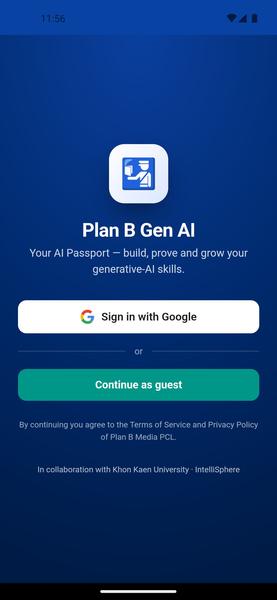
Find Plan B AI Passport in your app drawer, open it, and either create an account or sign in. That's it — you're in.
Quick note: if you'd rather stay in the Play Store ecosystem, you can also find the app there by searching "Plan B AI Passport." Both routes get you to the same app.
🔒 Is It Safe to Use? Here's the Honest Take
Fair question to ask, especially for an APK download. Here's what's actually relevant.
Plan B Media Plc is a real, publicly listed company in Thailand. That matters because it means there's actual accountability behind the product — it's not some anonymous developer with no track record. The app is on Google Play, which means it went through Google's security checks before being listed.
When you download from APKview.com specifically, you're getting a file that mirrors what's on the Play Store. APKview doesn't modify APKs — they host clean copies. That said, the golden rule with any APK download: stick to known, reputable sources. APKview.com qualifies. Random file-sharing sites do not.
On the data side — this is an AI app, so your text inputs, images, and voice queries are being processed by cloud-based AI models. That's true of every AI app, not just this one. The practical guidance is the same regardless of which app you use: don't type your passwords, banking information, national ID numbers, or anything else that's genuinely sensitive into an AI chat interface. That's just common sense.
No major red flags here. Known developer, Play Store presence, clean APK source. Use it sensibly and you're fine.
⚖️ Pros and Cons — The Unfiltered Take
✅ Pros:
- Multiple AI models in one app — actually saves time and reduces app-switching
- Image analysis and voice input available without needing a paid tier
- Prompt Library is genuinely useful, especially for people who are new to AI tools
- Export to PDF/TXT is the kind of practical feature most AI apps skip
- Backed by a real company with a verifiable public track record
- Clean interface with dark mode and theme options
❌ Cons:
- Primarily built for Thai users — some UI elements may appear in Thai depending on your phone's settings
- Enabling unknown sources for APK install is a minor friction point for non-technical users
- Regional availability of specific AI models isn't fully documented in English
- Pricing and subscription tiers aren't clearly explained in English-language documentation
- Needs internet at all times — nothing works offline
🏁 Final Verdict — Is It Worth Downloading?
Honestly? For the right type of person, yes.
If you're already using multiple AI tools and tired of the tab-switching, the subscription juggling, the inconsistent interfaces — this app addresses that directly. The multi-model access is the main draw, and it's a legitimate one. The Prompt Library and export features make it more than just another chatbot wrapper.
Where it gets complicated is the Thai-language origin. If you're not in Thailand or don't speak Thai, a few things in the app might feel a little rough around the edges. Nothing that breaks the experience, but worth knowing going in.
The safety situation is solid. Known developer, Play Store presence, reputable APK source. That's all you really need confirmed before installing.
Give it a download, spend some time in the Prompt Library, try the image analysis on something actual from your work — not a test, a real task. That's when it either clicks or it doesn't. Most people find at least two or three use cases that stick pretty quickly.








