
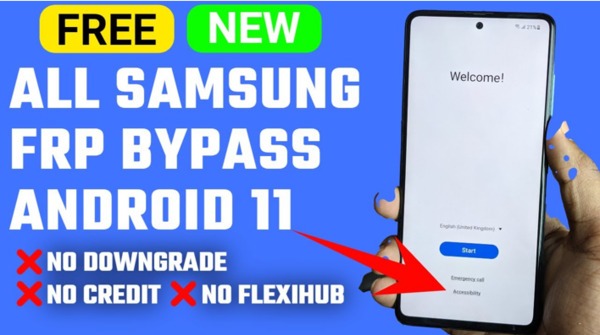
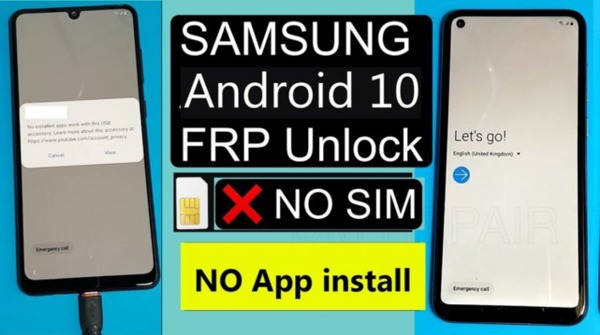
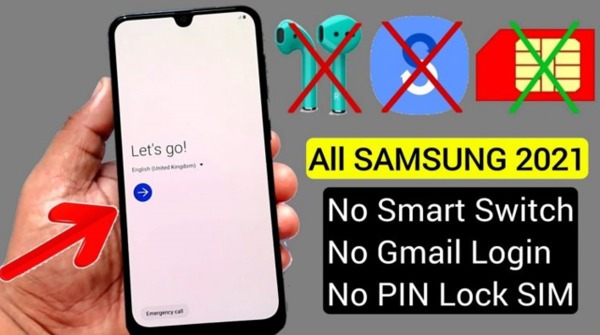
Man, that FRP lock screen. You know the one. White background, asks for a Google account you probably made in 2016 and forgot about three password changes ago. I hit that wall hard last spring.
My aunt gave me her old Galaxy A10e, said she didn't need it anymore, figured I'd wipe it and use it as a backup phone for work stuff. So I factory reset it without even thinking. Phone boots back up and bam. "Verify your account." Her old email. Called her up, she had no clue what the password was. Said her grandson set up the phone years ago. Great.
I'm not made of money so I wasn't about to drop $70 at some repair kiosk in the mall. Started googling around, found mentions of something called GsmNeo FRP Tool APK on a few forums.
Half the posts looked spammy, the other half were in broken english, but enough people swore by it that I figured what the hell. Downloaded it. Almost bricked the phone once because I clicked the wrong thing. Then got it right on the second try. Phone's been working fine ever since.
This isn’t going to be one of those slick guides where everything sounds perfect. So I’m just going to tell you what this tool actually does, how I got it running, where I downloaded it, and all the little things that tripped me up so you don’t repeat my mistakes.
📌 What Is GsmNeo FRP Tool APK?
Right so FRP. Factory Reset Protection. Google baked it into Android back with Lollipop like 2015ish. Basically if your phone gets reset without logging out of the Google account first, it locks down.
Won't let you finish setup till you enter that exact email and password. Good idea in theory. Stops some dude from snatching your phone off a table, wiping it, and selling it as clean. But oh my god does it backfire on actual owners.
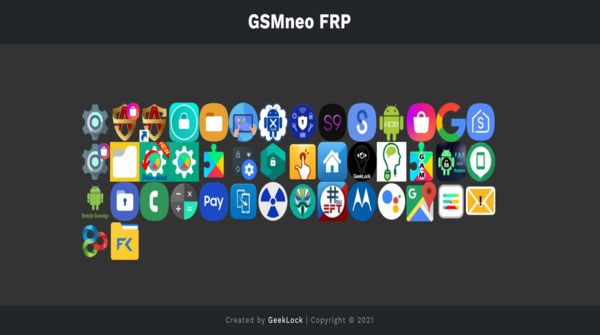
GsmNeo FRP Tool APK is one of those apps that repair guys use. Not the official Samsung tool or anything corporate. More like a community-made thing. Small APK file, you side load it into the locked device and it punches a hole through the setup wizard so you can get to the settings menu.
From there you can tinker with Google Play Services, add a new account, and pretty much tell the phone “hey this is mine now.” Phone believes you and unlocks.
It ain't magic. Doesn't crack passwords. Doesn't root anything. All it does is give you access to settings that Google hid from you on purpose. Think of it like jiggling a locked door handle just right till the latch slips. The door was never broken, you just found a way in.
🎮 How Does It Work?
So the whole trick depends on getting a web browser open while you're stuck on that verification screen. That's the part that trips most people up and honestly it's different on every phone. Some models let you use TalkBack, that accessibility thing for blind folks.
You hold volume up and down together, draw a certain shape on the screen, and it opens a menu where you can launch youtube or a help page. From there you can usually worm your way into Chrome.
Other phones have a keyboard exploit. You tap the password field, open the keyboard settings, find a help or feedback link, and that launches a browser. I've seen people pop open the emergency dialer and punch star pound codes to get into test menus with clickable URLs.
On my aunt's Samsung I used the TalkBack method. Took me three tries because I kept drawing the L shape too slow and it wouldn't register. Felt like an idiot sitting there tracing letters on a locked phone at 11pm.
Once Chrome opens, you go to a site that has the APK. I used APKview.com. Typed it straight into the address bar because if you google it you might land on some fake clone site with malware. Downloaded the file, installed it right on the lock screen. Phone complained about unknown sources, had to flip a toggle in settings, then it installed fine.
Opened GsmNeo, it shows basically one button. Something like "Open Settings" or "Go to Settings." You tap that and suddenly you're past the lock screen and into the phone's guts. From there you find Apps in settings, scroll to Google Account Manager and Google Play Services, hit disable on both.
Then add a new Google account under the Accounts section. I just made a fresh Gmail on the spot. Re-enable the disabled stuff, restart the phone. When it boots, the setup wizard sees that new account and waves you through. Done.
✨ Key Features Of GsmNeo FRP Tool APK — What Actually Matters
📱 Works On A Bunch Of Brands.
I've only tried it on Samsung and Motorola personally, but forum posts say Huawei, LG, Xiaomi, even some tablets. Samsung seems the easiest in my experience. Something about their software being more open to these bypass tricks. Xiaomi can be stubborn because of their MIUI skin locking things down tighter.
⚡ No Computer Whatsoever.
God I hate FRP tools that make you install drivers and flash firmware and mess with USB cables that disconnect if you breathe wrong. This whole thing runs on the locked phone. You just need wifi. That's it. Saved me from digging my old laptop out of the closet.
🆓 Truly Free.
Like actually free. No "trial mode" that suddenly stops working. No watermark that shows up later. I've been burned before downloading "free" tools that work for 30 seconds then demand $20. This one didn't pull that crap.
🪶 Tiny Download.
APK's like 3 or 4 megs. On a janky browser connection that could drop any second, a big file would be a nightmare. This downloads in under a minute even on weak signal.
🖥️ Brain-Dead Simple Interface.
You open it, you see a button. You press the button. That's it. No menus, no options, no confusing checkboxes. If you can operate a light switch you can use this app.
🔄 Updated Kinda Regularly.
The cat and mouse game with Google never stops. Google patches a hole, the devs find a new one, new version comes out. I always check the upload date before downloading. If the file's from 2021 and your phone got a 2024 security update, probably gonna fail.
💡 Benefits of Using GsmNeo FRP Tool APK
Look I'm cheap. There I said it. GsmNeo FRP Tool APK let me fix my phone without paying a cent and honestly that's the biggest draw. Repair shops near me charge absurd prices for something that takes ten minutes. One place wanted $85. Another said $50 but I'd have to leave the phone for three days. Three days for a ten minute job? Nah.
Time is the other thing. I did this at home, at midnight, in my pajamas. Didn't have to drive anywhere, wait in line, explain my situation to some bored guy behind a counter. Just me, a youtube tutorial on my actual working phone, and patience. Whole thing took maybe 25 minutes including the parts where I messed up.
Then there's the privacy thing. When you give your locked phone to a repair shop, some stranger's got your device. Maybe there's nothing sensitive on it, maybe there is. Either way you're trusting them not to snoop. I'd rather keep my stuff in my own hands. Bypassed it myself, factory reset it right after, phone was clean and mine with no middleman involved.
Also the tool doesn't leave any permanent changes. It's not like rooting where you trip a Knox counter or void warranties. Once you do the final reset everything's back to stock. Sell the phone, trade it in, nobody will know it was ever bypassed.
🛠️ Tips to Get the Most Out of It
🔋 Charge The Dang Phone First.
Sounds basic but I'm serious. First time I tried I was at 30 percent battery, figured it'd be quick. Phone died mid-process when I was disabling Google services. Had to charge it, boot up, and start over from square one. Annoying. Get it above 60 percent.
🛜 Good Wifi Matters.
The browser you open on a locked phone is already fragile and glitchy. If your connection keeps dropping, the download might corrupt or the page might not load. Don't do this on some sketchy public wifi with a login portal. Use home wifi or a reliable hotspot.
🗑️ Wipe Cache If Things Freeze Up.
During my second attempt the app just went black. Wouldn't respond. Thought I bricked something. Booted into recovery mode by holding power and volume up, wiped cache partition, rebooted, tried again and it worked fine. Cache wipe doesn't delete your data or the lock, just clears temp files causing conflicts.
🔍 Watch Someone Do It On Your Exact Model.
This saved me so much time. Found a video titled "Samsung A10e FRP Bypass GsmNeo" and watched the whole thing first. Noted exactly where the guy tapped and what order. When I actually did it I wasn't guessing, I was following a map.
🗑️ Reset Again When You're In.
Once you reach the home screen, don't celebrate and start installing apps yet. Go to regular settings, do a factory reset from inside the phone. This wipes the APK and any weird temporary settings. Set it up clean with your own account and it'll run like a fresh phone with no bypass remnants.
📥 How to Download and Install GsmNeo FRP Tool APK Latest Version
The most reliable and safe place to download from I recommend APKview.com as your resource. Random download sites don’t have that security layer of checking APK signatures before publishing.
Step 1: Open the browser on your Android device and go to APKview.com.
Step 2: Type “GsmNeo FRP Tool APK” in the search box.
Step 3: Find the Latest Version of APK file Available Make sure it is from a trusted source on the site.
Step 4: Choose the download button. Your device might prompt you to confirm if you want to download the file – confirm if you want to download it.
Step 5: This is where most people get it wrong. You must allow installations from Unknown Sources. On most Android phones, go to Settings > Security > Unknown Sources and toggle it on. Some new phones may ask you to give permission for your browser only – just do what it tells you on your screen.
Step 6:Tap the downloaded APK file. It’s usually sitting in your Downloads folder.
Step 7: Click on Install and wait for few seconds. It's fairly fast.
Step 8: When done, open the app and sign up or login, if you have an existing account.
Just a note : If you get an error , then the file is probably corrupted or you downloaded the wrong version. Download it again or check your Android version to see if it is supported.
🔒 Is It Safe to Use? Here's the Honest Take
I'm not gonna lie and say sideloading random APKs is 100% safe. It's not. But GsmNeo FRP Tool APK itself, the actual original file, is clean. I've scanned it with a couple online checkers, nothing flagged. The app asks for almost no permissions. It doesn't need access to your camera or contacts or anything shady. All it does is open a settings menu.
The real risk is where you download it. There's a ton of scummy sites that take a popular APK, repackage it with adware or worse, and host it behind layers of fake download buttons. You click what you think is the right button and end up installing some "downloader tool" that then installs the real APK plus a bunch of junk. I almost fell for that on my first attempt. That's why I stick to APKview.com. They seem to actually verify their files.
Also keep in mind during the bypass your phone is in a weird state. Google Play Services is disabled. That's a core security component. Don't go browsing random sites or logging into banking apps while you're in that middle state. Just do the bypass steps, get to the home screen, and do that final factory reset. That restores everything to normal and locks it down proper.
Is this legal? On your own device, yeah. On a device you found or stole, no. Don't be that person. Also some carriers or manufacturers might not love that you bypassed their security. I doubt they'd come after you but just be aware.
⚖️ Pros and Cons — The Unfiltered Take
✅ Pros:
- Doesn't cost a penny which is rare in the FRP bypass world.
- Works right on the phone no laptop or usb cable needed.
- So simple to use once you get it installed literally one button.
- Supports tons of android brands not just the big names.
- Small file size means fast download even on shaky wifi.
- No root no firmware flash no permanent changes.
❌ Cons:
- Getting a browser open on the lock screen is genuinely frustrating.
- Recent android updates sometimes block the whole method.
- Bad download sources can load malware onto your device.
- No guarantee it works on your specific model.
- Only handles FRP lock not screen lock pins or patterns.
🏁 Final Verdict — Is It Worth Downloading?
If you're staring at that verify account screen right now and you don't know the password yeah download GsmNeo FRP Tool APK. It's free and even if it doesn't work on your particular device you've lost maybe an hour of your time. Better than losing eighty bucks at a repair shop.
I've used it a few times since that first Samsung. Helped a coworker with his old Moto phone. Helped my neighbor unlock a tablet her ex left behind with his account still on it. Worked both times though the Moto took a couple tries because the browser trick was different. The success rate in my limited experience is pretty good.
Just be smart about the download source. Use APKview or at least check whatever site you're using for obvious red flags. Make sure the file is recent. Watch a tutorial for your exact phone model. Charge your battery. And when you're done, do that final reset so everything's clean and normal again.
It's not some magical solution and yeah the first step of getting a browser open can make you want to throw the phone against a wall. But once you're past that part the rest is smooth. For a free tool that does what repair shops charge serious money for I'd say it's absolutely worth keeping on a usb stick or bookmarked for next time.








