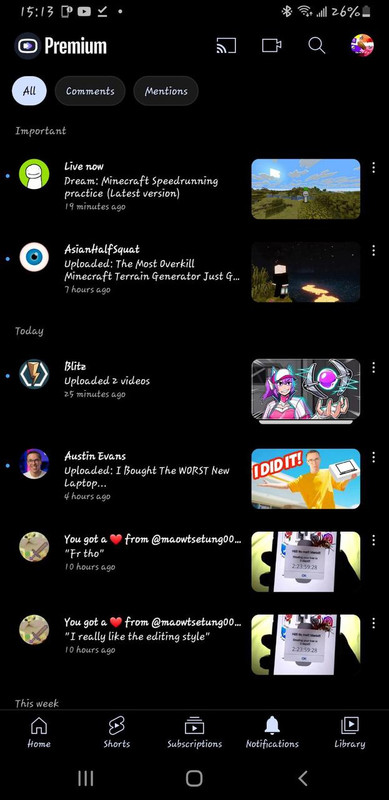
RVX 17.34.36 APK has become a massive talking point in the Android modding community, specifically for users who are completely exhausted by the relentless barrage of unskippable advertisements and the loss of basic features on the official platform.
When the legendary Vanced project was forced to shut down, millions of users were left scrambling for a viable alternative that didn't require paying a hefty monthly subscription just to listen to a podcast with their phone screen turned off.
The ReVanced project stepped in to fill that massive void, but as it evolved, it inevitably left behind users with older hardware. That is exactly why this specific version has reached a legendary status. It represents a perfect sweet spot—a highly stable, feature-rich build that still runs flawlessly on older Android 6.0 and 7.1 devices that modern patches have completely abandoned.
If you have an old tablet sitting in a drawer that you want to repurpose as a media player, or if you simply refuse to upgrade a perfectly functional older smartphone, you have probably been hunting for this exact file.
I am going to break down exactly what makes this specific build so vital, how the underlying patches actually work to improve your daily viewing experience, and the absolute safest way to get it installed on your device without pulling your hair out over login errors.
📌 What Is RVX 17.34.36 APK?
RVX 17.34.36 APK is essentially a community-driven, heavily modified version of the official stock video client that restores power and control directly back to the viewer.
Unlike traditional cracked applications that are shady and closed-source, the ReVanced project operates by providing open-source patches that are applied directly to the original, clean installation file of version 17.34.36.
This means the underlying code is still the highly optimized, familiar platform you already know how to use, but with all the frustrating corporate restrictions forcefully stripped away. When people search for this specific version, they are usually looking for the pre-patched "Extended" variant that includes everything out of the box—from aggressive ad-blocking algorithms to the beloved SponsorBlock integration.
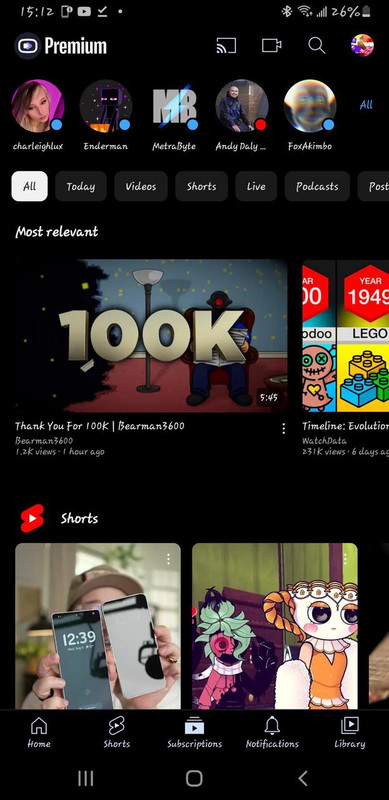
YouTube ReVanced isn't just some basic ad-skipper; it totally changes how I watch videos. By grabbing a companion app like MicroG (or GmsCore), you can log right into your regular Google account even if your phone isn't rooted. You get all your normal subscription feeds, can drop comments just like always, and basically unlock premium features without paying a dime.
🎮 How Does YouTube RVX 17.34.36 APK Work?
RVX 17.34.36 APK works some serious magic under the hood by tweaking the official app on the fly. When you open it up, the built-in patches intercept those network requests that pull in pre-roll video ads and clunky banners. They get blocked completely, so they never even have a chance to load.
It also rips out the annoying software locks that pause your video the second you switch over to check a text or turn off your screen. The app literally tricks your phone into treating the video stream like a Spotify track playing in the background.
Honestly though, the coolest part of how this works is SponsorBlock. It relies on a huge crowdsourced database of actual users. While you watch, the app silently checks a community server to see if someone already flagged the sponsored shoutouts, intro sequences, or useless filler.
When it hits a match, the player just skips right over that segment. You don't even have to lift a finger. It’s a brilliant community-driven tweak that completely changes how you watch long-form stuff.
✨ Key Features Of YouTube ReVanced 17.34.36 APK- The Ones Worth Knowing About
🚫 Total Network Ad Blocking.
YouTube ReVanced totally nukes every single ad. I'm talking about those annoying double pre-rolls, random mid-video interruptions, and the junk cluttering up the home feed. It just feels so much cleaner to use.
🎧 True Background Playback.
You can actually turn off your screen and pocket your phone without the audio instantly dying. I use this constantly for three-hour video essays and podcasts while I'm doing stuff around the house.
⏭️ Built-in SponsorBlock.
YouTube ReVanced 17.34.36 APK handles in-video sponsors for you. It uses a community database to just magically skip over VPN shoutouts, useless intros, and the endless "smash subscribe" begging.
👎 Return YouTube Dislike.
Seeing the dislike button again is huge. It pulls from an API to show the real ratio, which honestly saves me so much time when I’m trying to figure out if a tech tutorial is actually legit or total garbage.
🌙 True AMOLED Dark Mode.
YouTube ReVanced fixes that ugly washed-out grey theme from the stock app. You get a true pitch-black AMOLED dark mode that looks way better on modern OLED screens, and yeah, it definitely saves a bit of battery.
🖼️ Picture-in-Picture (PiP) Mode.
Just swipe home, and your video pops right into a little floating window. It’s super smooth for when I need to quickly reply to a text or scroll Reddit without entirely pausing what I’m watching.
⚙️ Advanced Playback Customization.
You can force videos to always snap to 1080p or 4K. I hated how the regular app would randomly downgrade my resolution if my Wi-Fi dipped for two seconds, so hardcoding the exact quality is a lifesaver.
💡 Benefits of Using RVX 17.34.36 APK
YouTube ReVanced 17.34.36 APK completely changes how you actually watch videos every single day, mostly because it finally gives you your valuable time back. Think about it seriously.
How many frustrating hours do you honestly waste each month just staring at unskippable fifteen-second ads for random products you'll literally never buy? Blocking all that garbage just makes watching stuff feel smooth again, and honestly, way less exhausting.
Playing videos or music in the background is the absolute real lifesaver here. Pushing bright, high-def video pixels is pretty much the fastest way to kill a phone. So if I'm just listening to a long podcast or some lo-fi beats at the gym, locking my screen means my aging battery actually survives the day. I barely reach for a charger now.
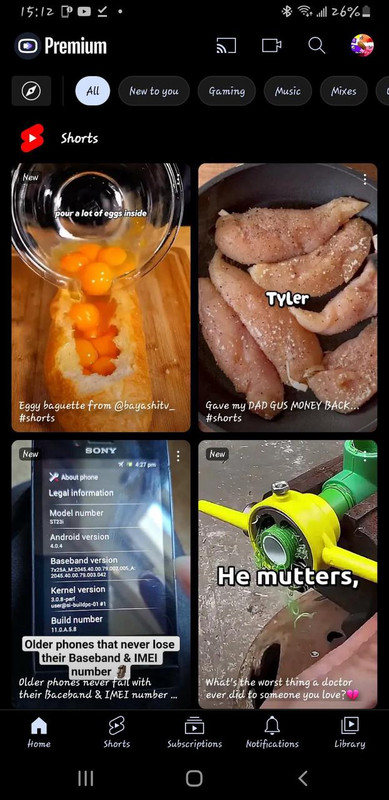
RVX 17.34.36 APK also cleans up your mind, weirdly enough. The app lets you hide all that annoying visual junk, like community posts, those mindless Shorts shelves, and the pushy algorithm shoved in your face.
Turning off those awful UI elements means I can finally just relax and watch the creators I actually subscribed to see, with zero random distractions ruining it.
📱 Why This Specific Version is Perfect for Older Androids
YouTube ReVanced 17.34.36 APK holds a very special, irreplaceable spot in the archiving community because it represents the absolute end of an era for legacy hardware. As the official client continues to bloat with new, heavy features and updated security APIs, modern ReVanced patches have been forced to push their minimum requirements up to Android 8.0 and beyond.
If you have an older Android 6.0 Marshmallow smartphone or an old Android 7.1 Nougat tablet lying around the house, the latest versions will simply spit out a harsh parsing error when you try to install them.
This specific 17.34.36 build is the heavily optimized, incredibly stable lifeline that keeps those older devices out of the e-waste bin. It runs astonishingly well on hardware with only 2GB or 3GB of RAM because the aggressive ad-blocking naturally reduces the amount of heavy network processing the phone has to do.
It allows you to take a dusty, five-year-old tablet, slap this APK onto it, and instantly transform it into the ultimate, ad-free kitchen media player or a dedicated podcast machine for your daily commute.
🛠️ Tips to Get the Most Out of YouTube ReVanced 17.34.36 APK
🎯 Fine-tune SponsorBlock Settings.
Dive into the advanced settings menu and customize exactly what SponsorBlock skips; you can set it to automatically jump over sponsors but show a manual skip button for non-music sections in music videos.
🔄 Keep MicroG Running Smoothly.
Go into your phone's battery settings and exclude the MicroG/GmsCore app from aggressive battery optimization so your phone doesn't forcefully kill your account connection in the background.
🛑 Disable Default App Links.
To make sure web links open in this app instead of your browser, go to your phone settings, find the ReVanced app, and set it to naturally open all supported YouTube URLs by default.
🎨 Customize the Player UI.
You can actually toggle off annoying visual elements like the cast button, the watermark, and the end-screen suggestion cards to make your video player look incredibly clean and minimalistic.
📉 Set Default Video Quality.
Stop wasting your limited cellular data by diving into the playback settings and forcing videos to load at 480p when you are on mobile networks, while defaulting to 1080p when connected to home Wi-Fi.
📥 How to Download and Install RVX 17.34.36 APK Latest Version
The most reliable and safe place to download from I recommend APKview.com as your resource. Random download sites don’t have that security layer of checking APK signatures before publishing.
Step 1: Open the browser on your Android device and go to APKview.com.
Step 2: Type “RVX 17.34.36 APK” in the search box.
Step 3: Find the Latest Version of APK file Available Make sure it is from a trusted source on the site.
Step 4: Choose the download button. Your device might prompt you to confirm if you want to download the file – confirm if you want to download it.
Step 5: This is where most people get it wrong. You must allow installations from Unknown Sources. On most Android phones, go to Settings > Security > Unknown Sources and toggle it on. Some new phones may ask you to give permission for your browser only – just do what it tells you on your screen.
Step 6: Tap the downloaded APK file. It’s usually sitting in your Downloads folder.
Step 7: Click on Install and wait for few seconds. It's fairly fast.
Step 8: When done, open the app and sign up or login, if you have an existing account.
Just a Note : If you get an error, then the file is probably corrupted or you downloaded the wrong version. Download it again or check your Android version to see if it is supported.
🔒 Is It Safe to Use? Here's the Honest Take
YouTube ReVanced 17.34.36 APK is incredibly safe to use, provided you are exceptionally careful about exactly where you source your download files. Because this application is insanely popular, malicious actors love to create fake websites promising "premium VIP versions" that are actually just stuffed full of background crypto-miners and aggressive adware.
The core ReVanced project itself is entirely open-source, meaning thousands of independent developers constantly audit the code to ensure it isn't stealing your personal data or logging your keystrokes. When you download a pre-patched version from a heavily vetted site like APKview.com, you are getting a clean, virus-free compilation of those exact open-source patches.
You might occasionally see a Google Play Protect warning pop up while installing, complaining that the app is unrecognized. Honestly, this is totally normal. Play Protect just freaks out because the patched file's digital signature doesn't perfectly match Google's official one.
Just stick to the legit community repos. Don't click those weird pop-up ads for fake updates, and obviously, never hand your Google password to sketchy websites. Do that, and your phone and account stay completely safe.
⚙️ Troubleshooting Common Installation Issues
RVX 17.34.36 APK installations can definitely throw some annoying errors, especially if your phone maker heavily locks things down right out of the box. If you keep getting that dreaded "App Not Installed" message, the stock app is usually fighting it.
To fix this, just jump into your phone settings and find the regular YouTube app. You'll want to uninstall any recent updates so it drops back to the factory version, then make sure you explicitly hit that "Disable" button. That basically clears out the original signature so your new patched version can install cleanly without bumping heads.
If you successfully install the app but experience endless buffering or a message saying "content is not available," this means Google has updated their backend API. In this scenario, you need to dive into the ReVanced settings menu, navigate to the "Spoof App Version" toggle, and turn it on to trick the server into thinking you are running a slightly newer version of the official client.
Finally, if the app just crashes immediately upon opening, double-check that you actually installed the MicroG framework first, as the patched app will instantly close if it cannot find the necessary background service to handle the login protocols.
⚖️ Pros and Cons — The Unfiltered Take
✅ Pros:
- This app kills all video commercials, mid-rolls, and banners without making you pay a monthly fee.
- It plays audio perfectly in the background when your screen is locked, saving huge amounts of battery.
- This app features built-in SponsorBlock, automatically skipping past those annoying sponsor shoutouts and boring intro graphics.
- Got an ancient phone? It still runs totally fine on older setups like Android 6.0 or 7.1.
- This app actually restores the dislike counter, so you can spot bad clickbait before wasting your time.
- The interface is super customizable. I immediately hid distracting garbage like Shorts and community posts from my feed.
❌ Cons:
- This app requires an annoying multi-step setup. You have to manually sideload the main APK and MicroG.
- Things will randomly break. You'll occasionally be stuck spoofing version numbers whenever the backend API suddenly updates.
- You obviously can't grab it off the Play Store, forcing you to rely on random third-party sites.
- Native offline downloading just isn't a thing here unless you hook up a clunky external third-party app.
- This app has a wildly overwhelming settings menu. Casual users just trying to watch videos will definitely get confused.
🏁 Final Verdict — Is It Worth Downloading?
RVX 17.34.36 APK firmly stands as one of the most essential, heavily requested utility downloads in the entire Android ecosystem, especially if you are stubbornly holding onto an older smartphone or tablet.
If you are deeply tired of having your focus shattered by a loud, unskippable advertisement every three minutes, or if you simply want the basic luxury of listening to a podcast with your screen turned off without paying a premium tax, this application permanently solves those frustrations.
It brings the sleek, uninterrupted, highly customizable media experience back into your hands, completely free of charge. Yes, the initial sideloading process genuinely requires a few minutes of technical patience to get the MicroG framework running and the settings dialed in just right, but that tiny bit of effort pays off with thousands of hours of seamless, ad-free entertainment.
Grab the secure files from a trusted source today, disable your clunky stock app, and you will absolutely never want to go back to the standard viewing experience ever again.








