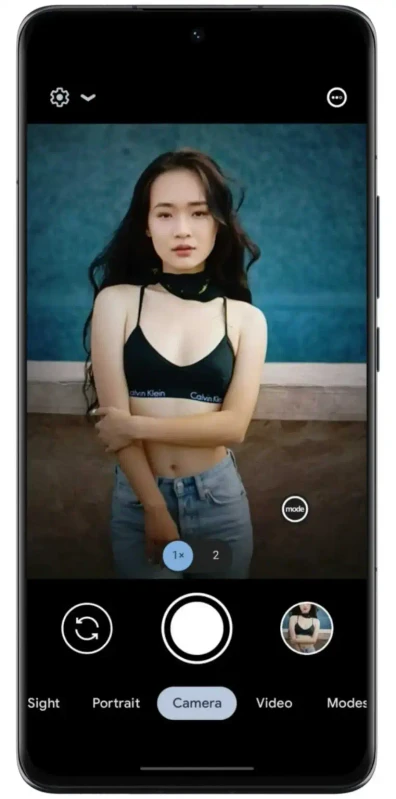
I've been using GCam ports on Android for a few years now, and the single most common reaction I see when someone installs LMC for the first time is — "why didn't I do this sooner."
Not because it's complicated. It's not. But because the difference is immediate and obvious in a way that's almost annoying. Same phone. Same scene. The LMC shot looks like you actually tried.
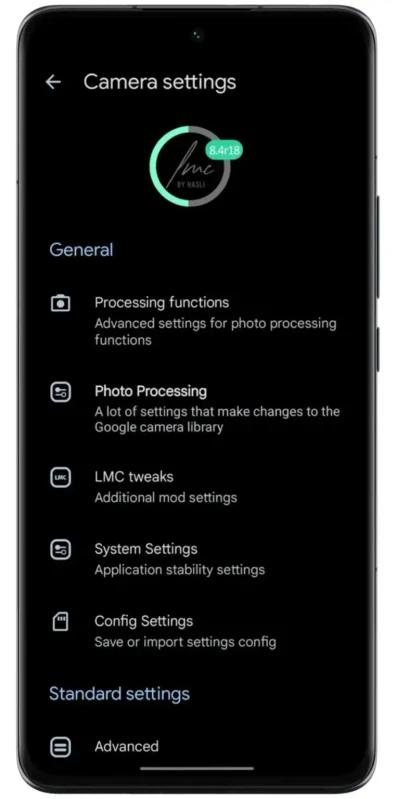
LMC 8.4 R18 Apk is the latest version of Lunar Camera, which is a port of Google's Pixel camera software built to run on regular Android devices. Pixel phones have been topping camera comparison charts for years — and a big chunk of that is the software, not the sensor. LMC brings that software to your phone. Free. No root needed.
This article breaks down what R18 is, how the whole thing works under the hood, which variant to install, and how to do it safely. If you've been sitting on mid-range Android photos that feel flat and disappointing, this is worth fifteen minutes of your time.
📌 What Is LMC 8.4 R18 APK?
LMC stands for Lunar Camera. The "8.4" is the version, and "R18" means it's the 18th revision of that version — so Hasli, the developer behind it, has been refining this specific build for a while. Each revision usually comes with bug fixes, better device compatibility, and small feature additions.
The whole concept of a GCam port is worth understanding if you're new to this. Google makes a camera app for Pixel phones that is, by most accounts, the best mobile camera software available.
The problem is Google only lets it run on Pixel hardware. A developer named Hasli essentially rebuilt it so it runs on regular Android phones. He's been doing this for years and is well known in the GCam community for putting out stable, reliable work — not drive-by mods that break after a week.
The reason this matters is that a lot of what makes Pixel photos look good has nothing to do with the sensor itself. It's the processing — how Google handles multiple frames, noise, dynamic range, and low light.
That processing is software. And software can run on your Redmi, your Samsung A-series, your POCO, your Realme. That's what LMC does.
Requirements are pretty minimal. Camera2 API support, which basically any Android phone from the last five years has. No root. No special firmware. You're just installing an APK like any other app, just not from the Play Store. It's free, and the full feature set is available immediately, nothing locked.
One heads-up: R18 comes in five variants — standard, Aweme, Scan3D, Snapcam, and F1. They're not dramatically different from each other, but some work better on certain chipsets. Which one to use is covered later.
🎮 How It Actually Works — Without Getting Too Technical
The basic difference between LMC and your stock camera comes down to what happens when you press the shutter.
Your stock camera grabs a frame, does some basic processing, saves it. Fast, simple, fine for most situations.
LMC 8.4 R18 takes a different approach. When HDR+ Enhanced is active, pressing the shutter triggers a rapid burst — sometimes ten or fifteen frames fired off in under a second. The app then processes all of them together.
Sharp detail gets pulled from the best frames, exposure is balanced across the whole set, and what comes out is a single image with more dynamic range and clarity than any individual frame had. You won't see this happening. It just produces a noticeably better photo.
Night Sight is the same idea but pushed harder. The shutter stays open longer to collect more light, motion compensation runs to keep things sharp even if your hand moves slightly, and aggressive noise reduction cleans up the result.
The photos end up looking like what the scene actually looked like to your eye — not the underexposed, grainy mess most stock apps deliver in dim light.
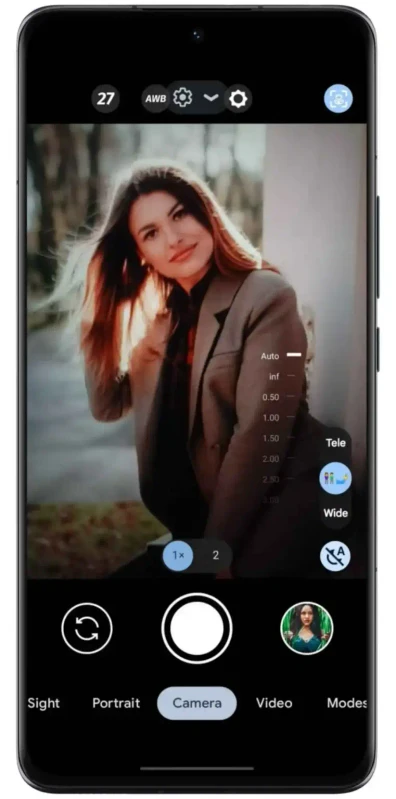
For people who want manual control, LMC gives you direct access to ISO, shutter speed, white balance, and exposure compensation through sliders in the UI. It also supports XML config files — settings profiles made by the community specifically for individual phone models.
Load the one for your phone and the app tunes itself to your hardware automatically. You don't need to understand any of the settings. Someone already figured them out for your device and shared the file online.
✨ Key Features — What's Actually Useful Day to Day
🌙 Night Sight — Low-Light Photography That Doesn't Lie
Night Sight is the main reason most people install LMC in the first place. Indoor restaurants, nighttime streets, living rooms with one lamp on — situations where your stock camera gives you a muddy, orange-tinted disaster.
Night Sight actually handles them. The first time you compare the same shot taken on both apps side by side, it's hard to believe it's the same phone.
🌅 HDR+ Enhanced — Sky and Ground, Both Exposed Correctly
Classic problem: you point your camera outside and either the sky is blown out white or the foreground goes dark. HDR+ Enhanced sorts this by capturing multiple exposures and combining them. Shadows have detail. Highlights don't clip. Colors are more accurate and less over-processed looking than typical phone HDR. Leave this on permanently.
🔭 Super Res Zoom — Actually Usable Digital Zoom
Most digital zoom is just cropping and upscaling, which looks soft and falls apart fast. Super Res Zoom works differently — it captures multiple frames with slight positional variation and reconstructs detail from the set. Still not optical zoom, but noticeably sharper than what the stock app does with the same focal length.
🎭 Portrait Mode — Background Blur That Doesn't Embarrass Itself
LMC's portrait mode does a decent job with edge detection on faces, hair, and objects. On mid-range devices it's usually noticeably better than the stock implementation. Not perfect on complex backgrounds like tree branches, but for most portrait use cases it holds up well.
⭐ Astrophotography Mode — Phone Stargazing
Sounds like a gimmick but isn't. With a stable surface, a clear night, and low light pollution, you can get shots of the Milky Way on a mid-range Android. It takes patience — you need to hold the phone still for a while — but the results are genuinely surprising for a phone camera.
📷 RAW/DNG Capture — For People Who Edit Their Photos
JPEG compresses and discards a lot of image data to keep file sizes manageable. RAW keeps everything. If you shoot in Lightroom or Snapseed and actually edit your photos afterward, shooting RAW gives you far more latitude — better highlight recovery, cleaner shadows, actual control over colors. For casual snap-and-share use it's overkill, but it's there if you want it.
🎬 4K Video and Slow Motion
Works on most supported devices. Slow motion is particularly good for anything fast-moving — it's one of those features where the LMC processing pipeline makes a visible difference over stock, especially in lower light conditions. Time-lapse is available too.
📸 SmartBurst — Stop Missing Shots of Moving Subjects
Hold the shutter and the app fires a continuous burst. You get a sequence of frames to pick through. Essential if you photograph kids, pets, or any situation where the subject won't stay still. Obvious but useful.
⚙️ XML Config Files — The Feature Nobody Talks About Enough
This deserves more attention. The GCam community has created config files for hundreds of specific Android phones — the right settings for your exact chipset, tuned and tested by people who've spent time on that device.
Loading the right config can unlock features that don't work out of the box on your phone, fix color accuracy, and improve sharpness. It's completely optional and the app works without it, but it's probably the single highest-impact step you can take after installing.
🎨 Cleaner UI in R18
Earlier builds had some visual bugs — the top bar displayed incorrectly, sliders were awkwardly sized. R18 fixed these. The dark theme looks clean and the interface feels responsive. Small thing, but you interact with it every time you open the app.
💡 Why Bother? Real Benefits for Real Use
The honest pitch: LMC 8.4 R18 makes your current phone take better photos. Not marginally better. Often noticeably better, in a way you'll see the first day you use it.
You don't need to upgrade your phone to get a better camera. A two-year-old Redmi Note with LMC and a good config file will consistently outperform a newer budget device running its stock camera app in certain conditions, especially low light. That's not hype — it's just what better image processing does.
It costs nothing. No trial period, no basic vs. premium tier, no features gated behind a subscription. The full app, every mode, every setting — free from day one.
No root access required. This matters because rooting carries real risks: voided warranties, potential to brick your device if something goes wrong, security vulnerabilities. LMC doesn't ask for any of that. Install it like a normal app, use it, uninstall it if you don't like it. There's no downside to trying.
Content creators specifically get a lot from this. Better low-light video, sharper photos for thumbnails, RAW output for proper color grading. The quality difference doesn't matter in a vacuum — it matters when it shows up in your final content.
🛠️ Tips That Actually Make a Difference
📂 The Config File Step Is Not Optional If You Want Best Results
Search for your exact phone model on Telegram GCam groups or XDA Developers. Someone has almost certainly made a config for it. Once you download it, open LMC, tap the LMC logo, go to Configs, and load it. Do this before you form any opinions about the app's quality — without the right config, you're not seeing what it can actually do on your phone.
🌙 Night Sight Works in More Places Than You'd Think
Don't only pull it out after dark. Indoor shots near windows, overcast days, shaded areas — the stock camera struggles in these conditions and Night Sight handles them quietly well. Try it wherever your default mode feels uncertain.
📐 Turn HDR+ to Enhanced and Don't Touch It
Settings → Advanced → HDR+ Control → Enhanced. It adds a small processing pause after each shot, maybe half a second. Worth it every time for outdoor and daylight shots. Just set it and leave it.
🔧 App Crashing? That's What the Other Variants Are For
Standard version crashes on some devices. It's not a bug you can fix by reinstalling — it's a compatibility issue with your specific chipset or camera driver. Uninstall, try Aweme. Aweme doesn't work, try Snapcam. Work through them. Most people find a stable version within two installs.
📱 Accept Every Permission on First Launch
Camera, microphone, storage, location — give it all of them. Some modes fail silently when permissions are missing and it's not obvious why. Easier to grant everything upfront than to debug missing features later.
🎯 Backlit Subject? Don't Fight It With Auto
When someone's standing in front of a bright window or there's a strong light source behind your subject, auto mode loses. Drop into manual, bring exposure compensation down a stop or two, and the subject pops out of the shadows. Thirty seconds of adjustment, substantially better shot.
⭐ Astrophotography Mode Needs Stillness, Not a Tripod
You don't need a tripod — just something flat. A wall, a car roof, a table outside. Set the timer delay to a few seconds so you're not touching the phone when the exposure starts. Find somewhere with less light pollution than your immediate neighborhood if you can. The results will surprise you.
📥 How to Download and Install LMC 8.4 R18 APK
Download from APKview.com. It's a known source in the Android modding community — files are vetted and you won't hit a maze of fake download buttons or forced redirects.
Step 1: Go to APKview.com on your phone's browser. Search "LMC 8.4 R18 APK" and open the correct listing.
Step 2: You'll see multiple variants on the page. Unless you have a specific reason to choose otherwise, download the standard LMC 8.4 R18 APK first. Works on the broadest range of devices.
Step 3: Tap Download. The file is around 130MB, so give it a minute if you're on mobile data. Don't navigate away while it downloads.
Step 4: Android blocks installs from outside the Play Store by default. Go to Settings → Security & Privacy → Install Unknown Apps, and enable it for your browser or file manager. Some phones prompt you automatically when you try to open the APK — either way works.
Step 5: Open your file manager, find the Downloads folder, tap the APK file.
Step 6: Hit Install on the prompt that appears. Should finish in under 30 seconds.
Step 7: Open the app. Grant everything it asks for on first launch — camera, mic, storage, location. All of it.
Step 8: If you already have a config file for your device, load it now via LMC logo → Configs. If not, the app still works — just go find one when you get a chance.
One extra step worth doing: run the APK through your phone's built-in security scanner before installing. Takes ten seconds. Every major Android brand includes one.
🔒 Is This Safe to Install?
Real answer: the app itself is fine. It's built on Google Camera's actual codebase, maintained by a developer with a long-standing reputation in the GCam community, and doesn't require root access. It can't touch system files, it only requests the same permissions any camera app uses — camera, microphone, storage, optionally location for photo geotagging.
The safety question for any third-party APK is really about the download source, not the app. A clean APK from a reliable site is low-risk. The same file from a random download site you found through a sketchy Google result might not be the same file at all.
APKview.com is a legitimate, known source that verifies its files. Download from there, scan with your phone's security tool if you want to be sure, and you're fine. LMC has been used by millions of Android users globally for years. There are large active communities on Reddit, Telegram, and XDA discussing it publicly. Security issues of any scale would have surfaced by now.
⚖️ Pros and Cons
✅ Pros:
- Real, visible improvement in photo and video quality on most devices
- Free, no strings, no premium tier
- No root needed — uninstall anytime, zero system-level risk
- Night Sight, HDR+ Enhanced, RAW, Astrophotography all included
- Config file support for device-specific tuning across hundreds of phones
- Five variants means most devices find a compatible build
- Active development — Hasli keeps updating it
- Cleaner, better UI in R18 vs earlier revisions
❌ Cons:
- Manual APK install required — a bit more friction than Play Store
- Not every device works perfectly with the first variant you try
- Config file research takes a bit of effort up front
- HDR+ Enhanced adds a short processing delay after each shot
- Manual mode has a learning curve if you're new to camera controls
- No official support — community help only if things go wrong
🔄 Which Variant Should You Download?
Five variants exist and it matters which one you pick — or at least, which one you try first when the first one doesn't work.
LMC 8.4 R18 (Standard) — The starting point for everyone. Compatible with the widest range of devices. Download this first unless you already know your phone has issues with it.
LMC 8.4 R18 Aweme — Usually the second thing to try. Works better on a lot of Qualcomm and MediaTek chipsets. If the standard version crashes, try this one before anything else.
LMC 8.4 R18 Scan3D — Built with depth-sensing features for devices that have a dedicated depth sensor. Still works as a regular camera app on other phones, but that's what the name refers to.
LMC 8.4 R18 Snapcam — Some users on Samsung Exynos and specific Realme devices report this running more smoothly than Aweme. Worth trying if you're on those chipsets and Aweme isn't working right.
LMC 8.4 R18 F1 — The most aggressive build, aimed at higher-end hardware. If you've got a flagship or upper mid-range device and want the most pushed out of the computational features, this is the one to test.
Practically speaking: start with standard. If it crashes, go to Aweme. Most people land somewhere stable within the first two.
🏁 Final Verdict
LMC 8.4 R18 is worth installing. That's the short version.
The setup takes maybe fifteen minutes if you're new to APK installs. Finding a config file for your device is another ten minutes of forum searching. After that, you have a camera app that makes your phone significantly more capable — especially in low light, which is where most smartphone cameras quietly struggle.
It's not for everyone. If the Play Store-only experience matters to you, this involves a step outside that. If your phone's stock camera already satisfies you, maybe don't fix what isn't broken.
But for anyone who's looked at their photos and felt like the phone should be doing better — LMC 8.4 R18 usually proves that it can. Download the standard variant from APKview.com, use it for a few days, load a config file if you can find one for your device. See what the same hardware actually produces when the software stops holding it back.








